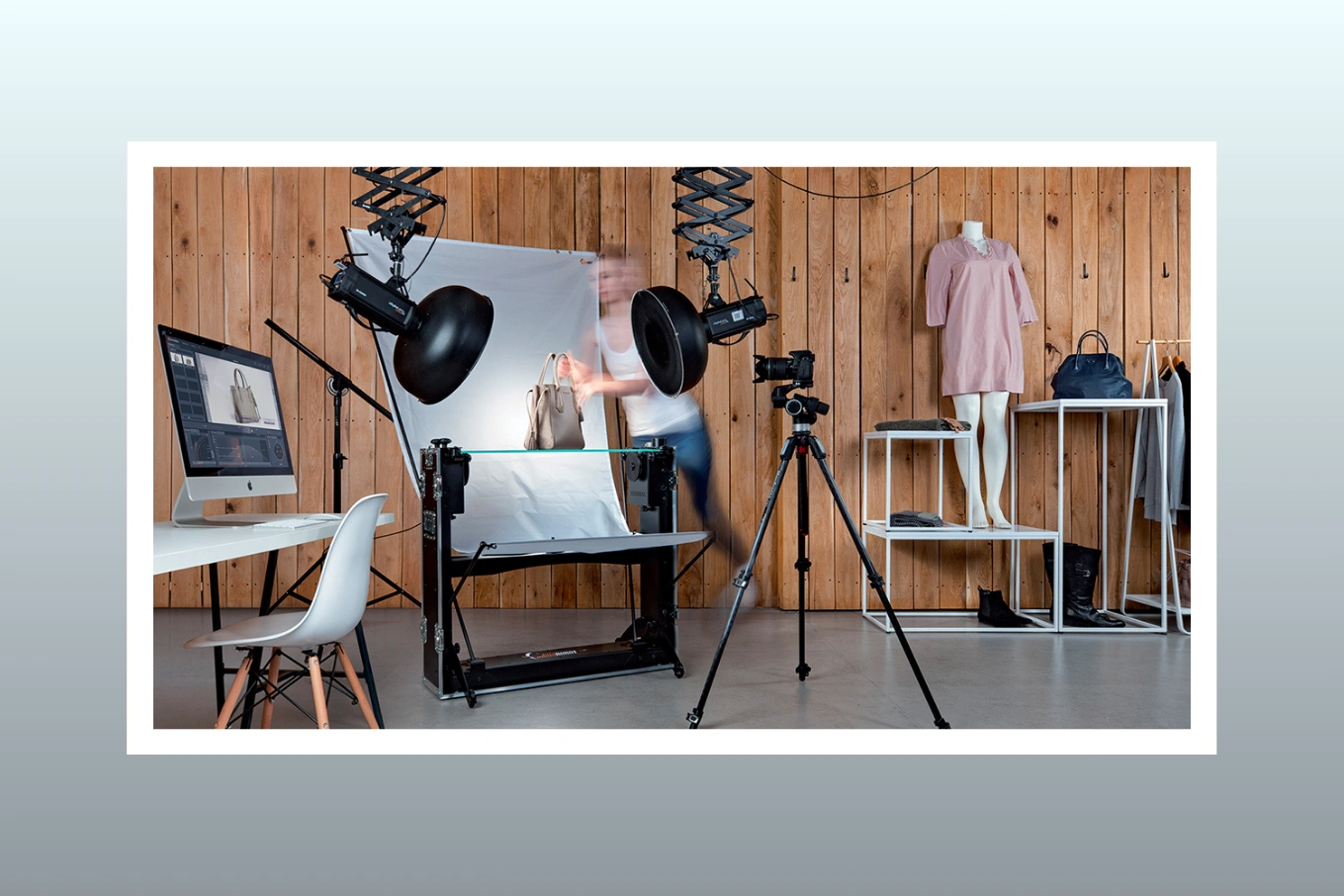
Mastering Packshot Photography in 2026: Tips, Techniques, and Pro Setup Guide
Cutout Partner
April 1, 2026
0 views
Packshot photography is a type of product photography that focuses on capturing products with their packaging and labels. In today’s competitive online market, first impressions are everything. Packshot photography plays a key role in showcasing products in a clean, clear, and professional way, often highlighting packaging and labels. A strong packshot not only presents the product but also builds trust and attracts customers instantly. Whether for eCommerce or advertising, high-quality packshot images help brands stand out and boost sales.
Cutout Partner is a premium photo retouching agency known for delivering high-quality image editing services for brands and businesses worldwide.
What is Packshot Photography?
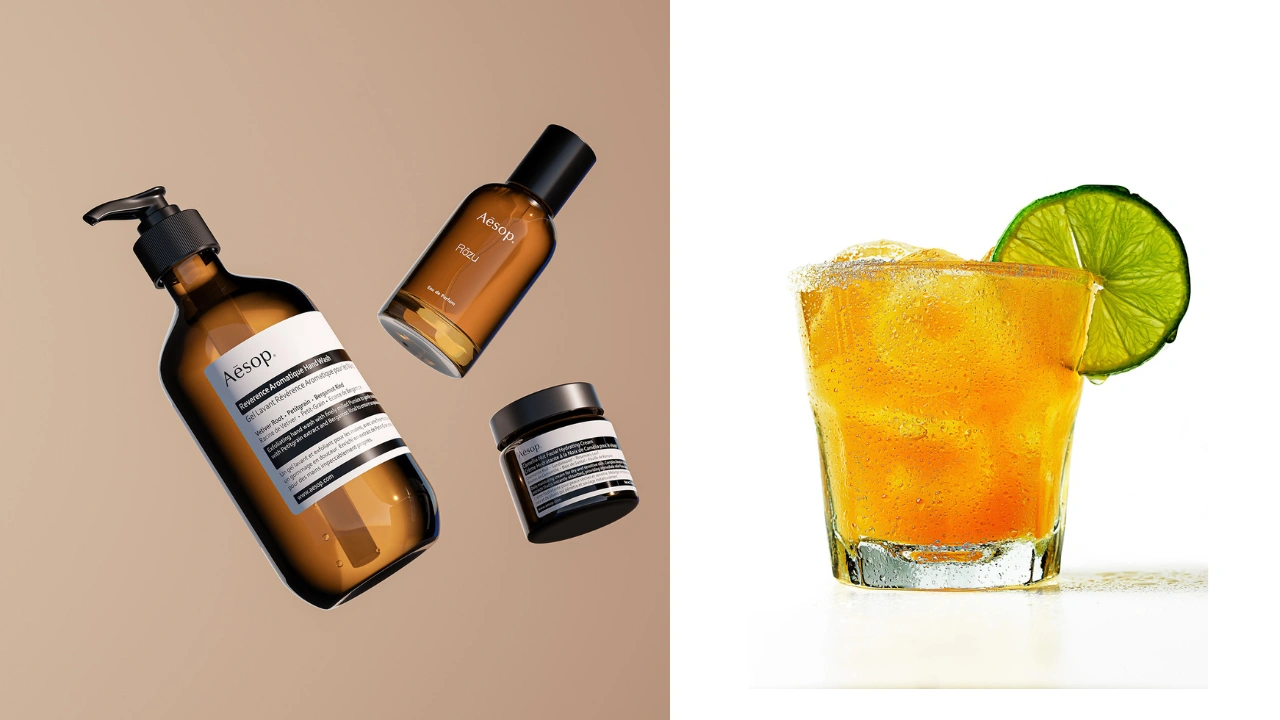
Packshot photography (also known as “pack shot” or “packaging shot”) is a modern branch of product photography focused on capturing products in a clear and accurate way. Widely used across magazines, billboards, catalogs, and eCommerce platforms, packshots can be either still or moving images.
The main goal of packshot photography is to present a product exactly as it appears in real life—often including its packaging and labeling. This helps customers understand the product better and builds trust by showing it in a realistic and professional manner.
Similar to GS1 image standards, packshot photography plays a key role in marketing and sales. These images not only improve product presentation online and in print but also help customers recognize products quickly in stores. This strong visual consistency can increase sales and strengthen brand reputation.
However, like all product photography, quality is essential. Achieving high-quality packshots requires the right skills, proper techniques, and professional equipment.
In this product photography guide, we’ll walk you through everything you need to master packshot photography. From choosing the right cameras and lenses to setting up professional lighting, you’ll learn the essential tools and techniques used by experts. We’ll also explore must-have equipment like turntables, efficient workflow automation, and the importance of post-production—where Cutout Partner helps bring your images to a polished, high-end finish.
Primary Aims of Packshot Photography with Flawless Editing
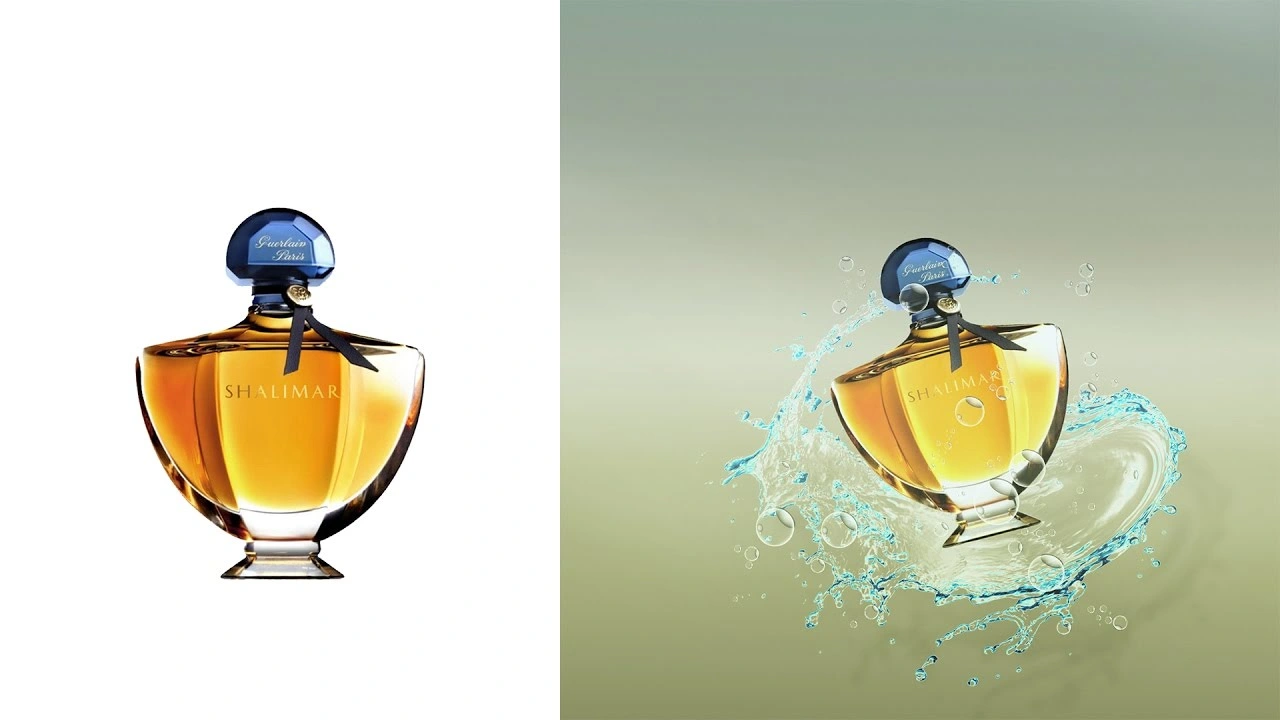
The main goal of packshot photography is to present a product as accurately as possible to support sales across different marketing channels. Whether used in print or online, packshots are designed to show the product exactly as customers will see it in real life—often in its original packaging. In some cases, they also reflect how the product appears on store shelves, helping customers recognize it بسهولة and confidently.
Unlike lifestyle photography, which tells a story, packshot photography focuses purely on the product itself. It highlights key details, design features, and overall quality without exaggeration. The aim is not to make the product look better than it is, but to represent it truthfully.
A strong packshot may include close-up shots that showcase important elements like logos, textures, materials, or fabric details. This helps customers get a clearer understanding of what they are buying, building trust and improving their overall shopping experience.
In addition, many brands use packshot photography to showcase the product alongside its packaging and labeling. These images may also include what comes inside the package, such as manuals, accessories, or promotional items. By displaying everything together, packshots give customers a complete and transparent view of the product. Ultimately, the goal is to present the product as accurately as possible, so buyers know exactly what to expect from their purchase.
Popular Marketplaces & Uses for Packshots
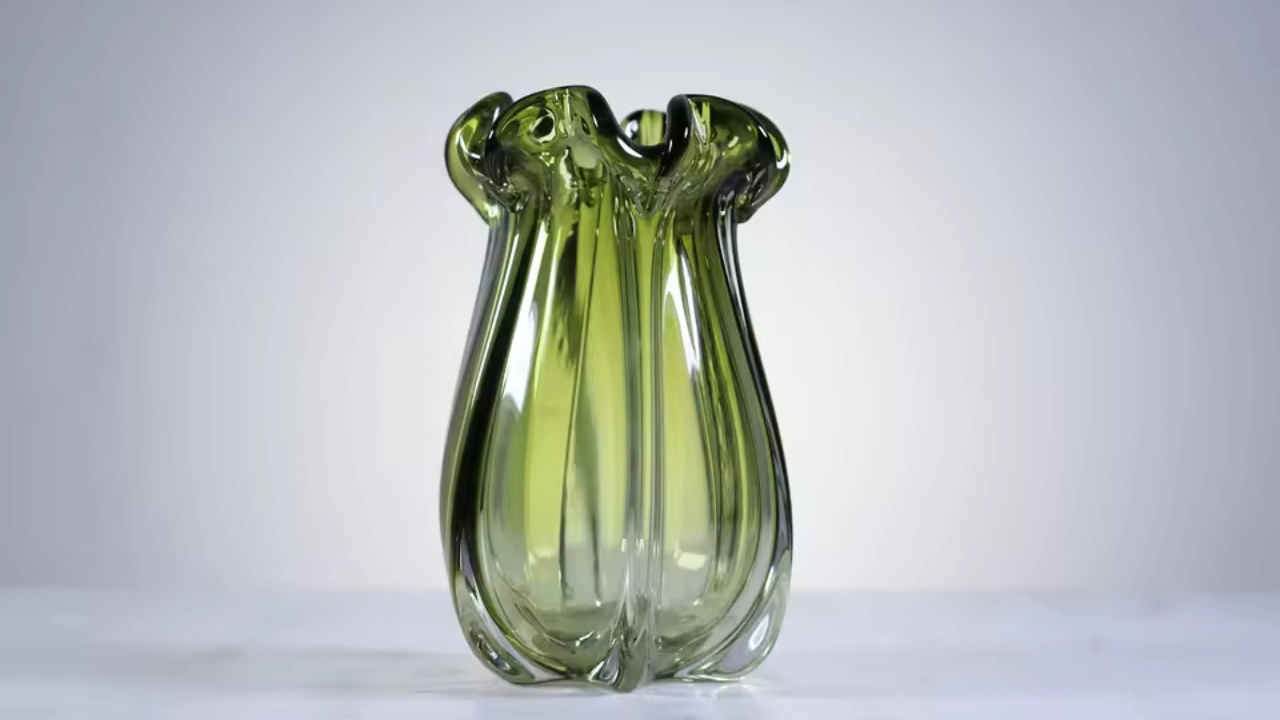
Packshot photography is widely used across eCommerce platforms, even as 360-degree imagery grows in popularity on platforms like Amazon. Many online marketplaces have strict image guidelines, often requiring products to be photographed on a pure white background with a specific product-to-frame ratio.
These standards help ensure consistency and allow customers to clearly understand what they’re buying. Packshot photography meets these requirements by focusing entirely on the product, presenting it accurately without distractions. A clean, white background plays a key role in highlighting product details while keeping the image professional and easy to view.
White Background Packshot Photography
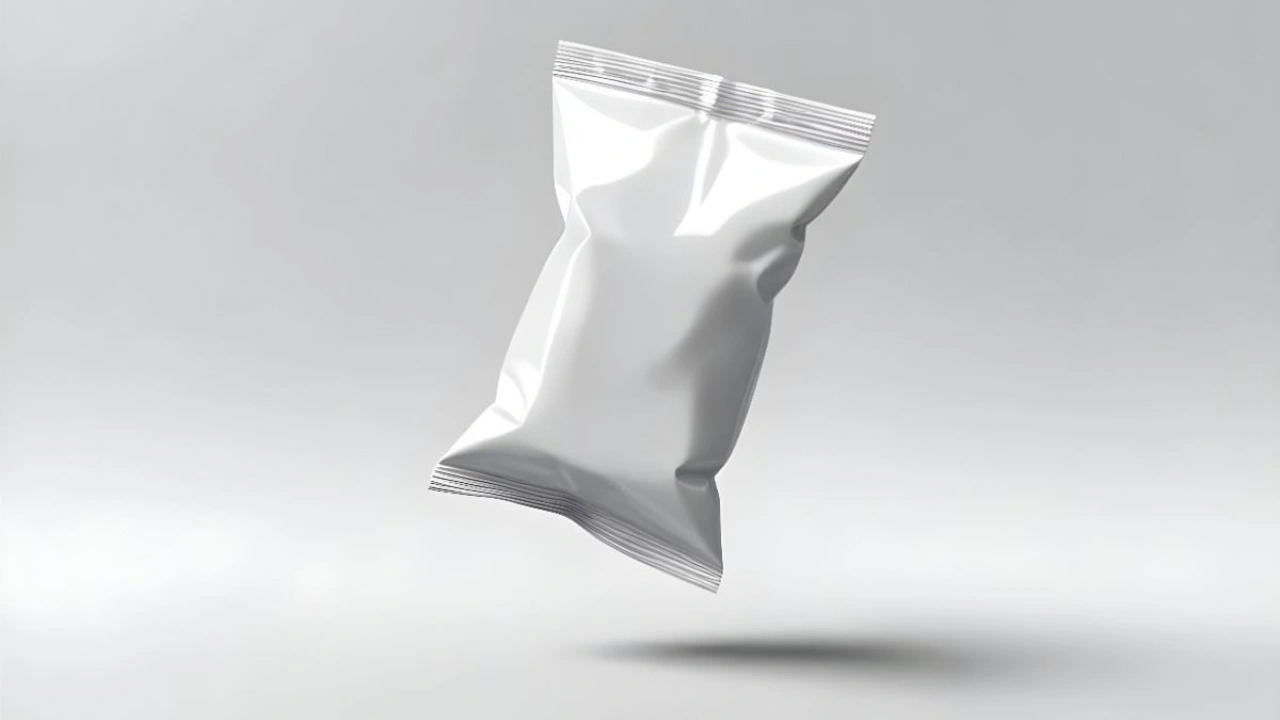
White background packshots are also highly effective beyond eCommerce. They are commonly used in billboards, magazine ads, brochures, and banners. High-quality packshots make it easier to meet technical standards like sharpness and contrast, while also leaving space for text and branding.
Additionally, these images are perfect for product infographics and showcasing fine details or unique design features. Whether for online listings or large-scale marketing campaigns, well-executed packshots help products stand out and communicate quality at a glance.
Packshots on Transparent or Colored Backgrounds
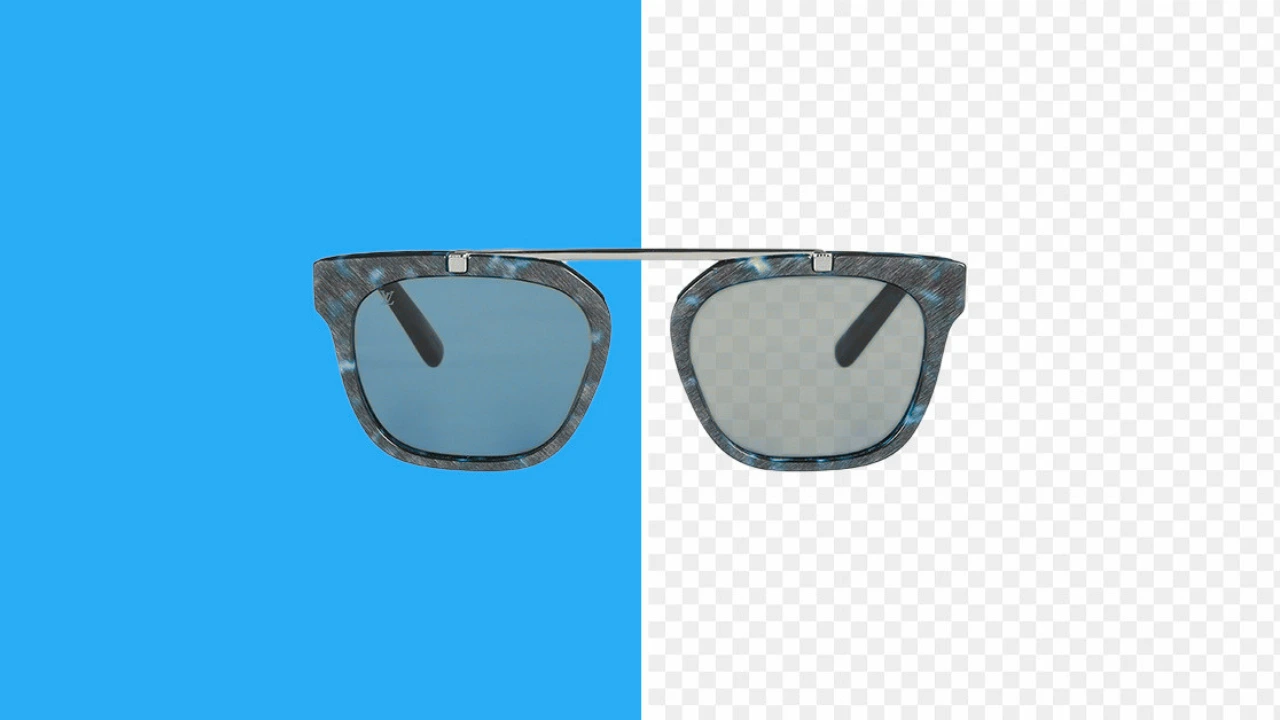
While white backgrounds are the most common choice for packshot photography, they are not the only option. In many cases, transparent or colored backgrounds can better align with a brand’s visual identity and marketing goals. The choice often depends on the brand’s style guide, as well as where and how the images will be used.
With advanced tools and workflows, companies like Cutout Partner make background removal from product images fast and efficient. Although Cutout Partner is often associated with 360° product photography pricing guide, many users rely on it solely for still packshot images. Its background removal capabilities allow photographers to easily replace or customize backgrounds according to their needs.
From transparent backgrounds used in print and catalog designs to colored backgrounds that evoke emotion or match branding, the decision depends on the purpose of the image. Key considerations include whether the goal is to showcase every product detail, replicate the in-box appearance, or create a visually appealing composition that draws attention.
Ultimately, the type of background—whether still life or packshot—should be chosen based on the intended message, brand style, and marketing platform.
Packshot Requirements and Guidelines
A professional packshot setup often includes motorized turntables and automation software, such as those offered by Cutout Partner. These systems provide full control over the entire photography process—from camera positioning and lighting to turntable rotation, image capture, and even post-production and publishing. With automation, photographers can efficiently manage camera elevation, swing, lighting intensity, and strobe settings to achieve consistent, high-quality results.
For eCommerce packshots, a white diffusion cloth background is commonly used. This setup ensures clean, distraction-free images that meet marketplace standards. In most cases, platforms require a pure white background, while resolution and formatting may vary depending on vendor specifications.
When photographing packaging or labeling that includes text, Optical Character Recognition (OCR) tools can be extremely useful. OCR allows photographers to extract text directly from product images, making it easier to integrate data into product listings, webshops, or management systems.
It is also important to follow packshot best practices by avoiding blurred backgrounds or overly stylized effects. The goal is to present the product clearly and accurately, without distractions, so customers can easily focus on its true features and details.
Which Cameras to Use for Packshot Photoshoots
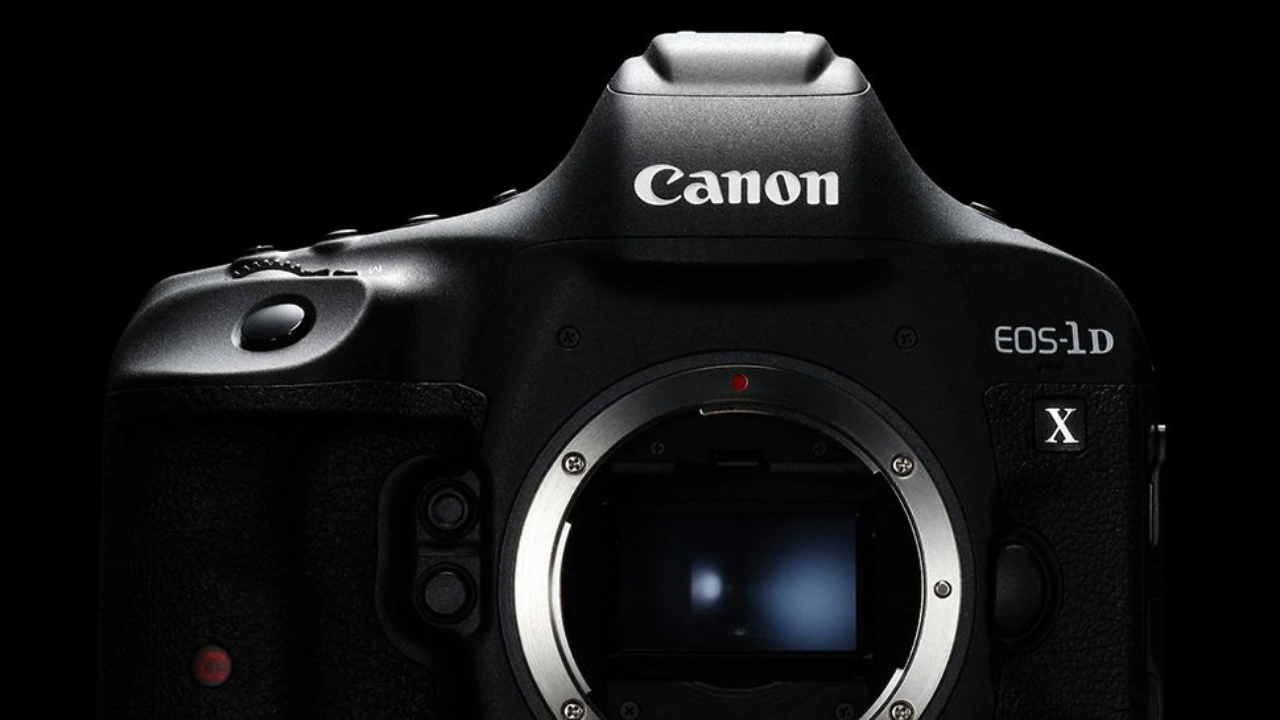
When selecting a camera for packshot photography, compatibility and consistency are key. Systems like those from Cutout Partner support a range of Canon DSLR and mirrorless cameras. The choice between DSLR and mirrorless models usually comes down to personal preference, as both can deliver excellent results in a controlled studio environment.
High-end camera models are not always necessary to achieve professional-quality packshots. Even mid-range options, such as a Canon EOS RP with a 26MP sensor, can produce sharp and detailed product images when paired with the right setup and lighting.
In packshot photography, sensor size often matters more than camera price or brand. A larger sensor can capture more detail, better dynamic range, and improved image quality—making it a more important factor when choosing a camera for product photography.
Packshot Camera Sensor Sizes
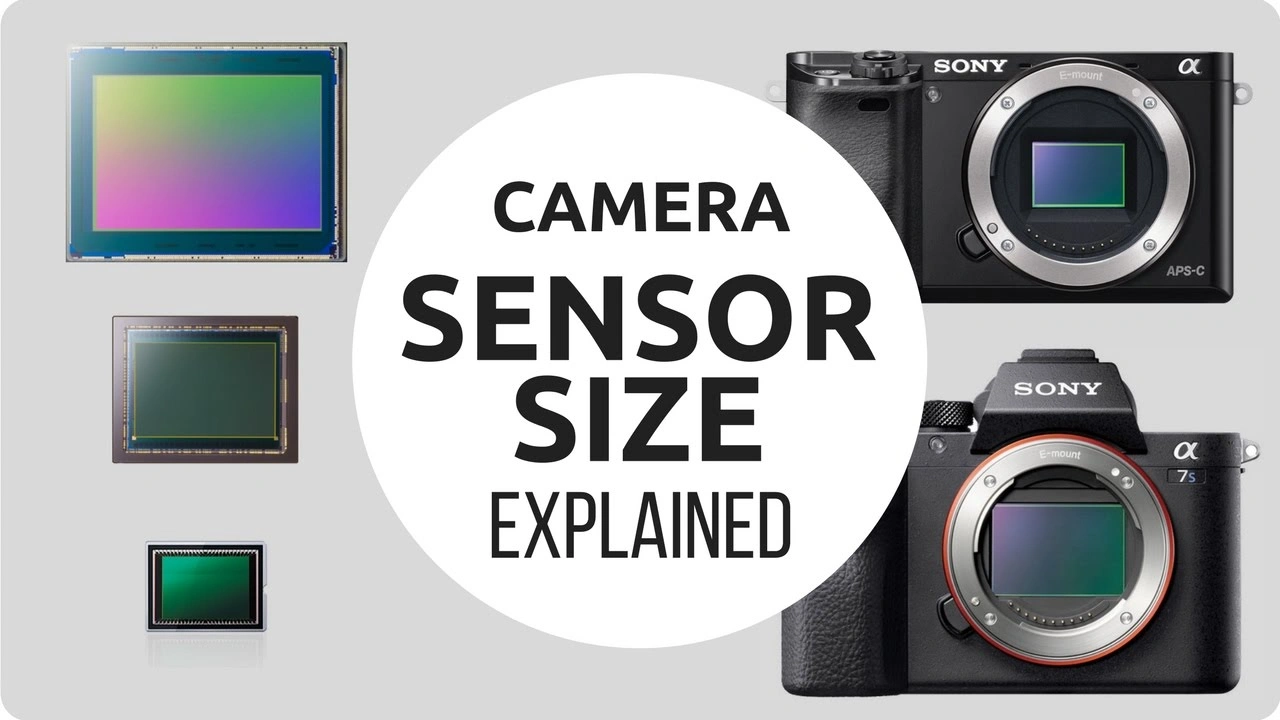
Choosing the right camera sensor for packshot photography largely depends on the type and size of the product being photographed. Commonly used sensor formats include full-frame (35mm) and APS-C (around 24mm) sensors. Both options are widely used in professional setups, including systems from Cutout Partner Photography Studio..
Full-frame sensors are especially useful for capturing smaller and more detailed products, such as electronics or jewelry. They offer higher resolution and better image quality, allowing photographers to highlight fine textures and intricate details that customers often want to examine closely. APS-C sensors, on the other hand, can also deliver excellent results and provide a greater depth of field, helping keep more of the product in sharp focus.
In addition to camera hardware, advanced software plays a crucial role in achieving high-quality packshots. Cutout Partner software includes powerful image processing tools that help enhance clarity, adjust colors, control brightness, improve sharpness, and manage focus stacking. These features ensure that every product image maintains a full depth of field and meets professional standards with efficient post-processing.
Best Lens for Packshot Product Photos
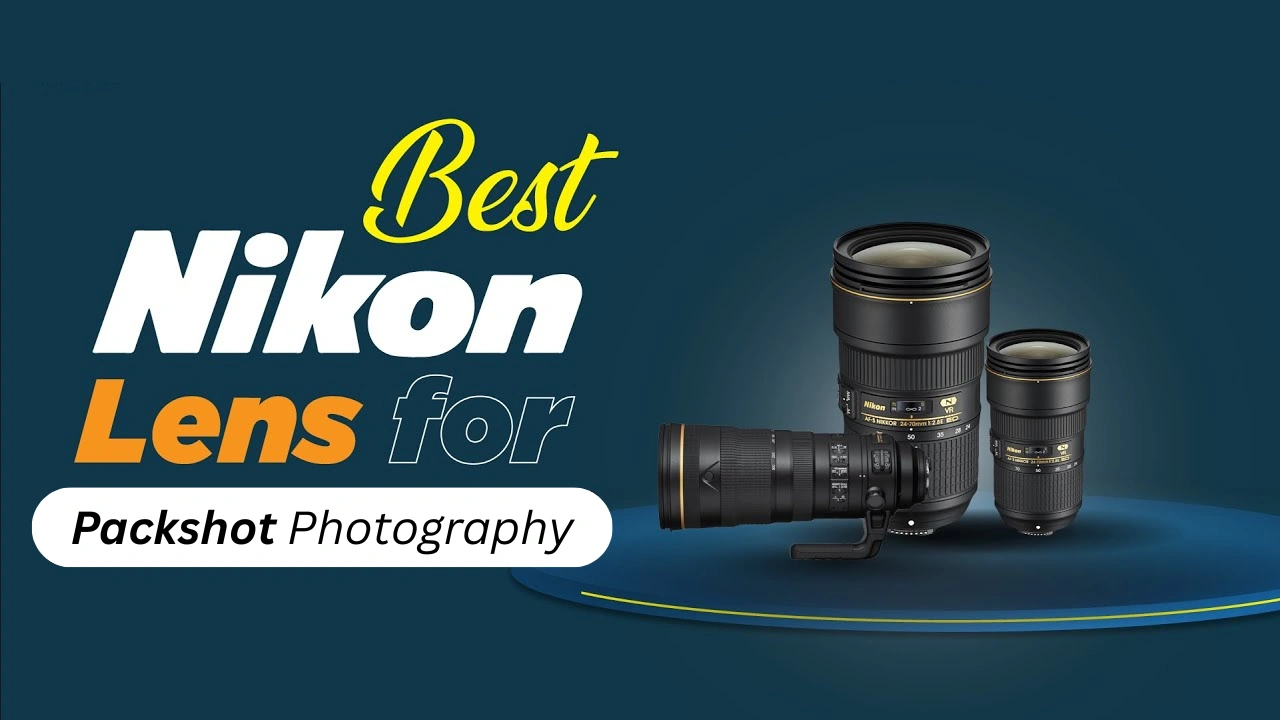
Just like choosing a camera, selecting the right lens depends on the type of product being photographed. Different lenses serve different purposes in packshot photography, and understanding their strengths helps achieve the best results.
50mm Lens
A 50mm lens is one of the most commonly used lenses in product photography. It offers a natural perspective with minimal distortion, making it ideal for capturing products larger than 6 inches. This focal length helps maintain accurate proportions while providing a good depth of field. In most cases, a focal length of at least 50mm is recommended, with longer focal lengths often delivering even better results.
Macro Lenses
Macro lenses are designed for capturing highly detailed, close-up images of small objects. With a magnification ratio often close to 1:1, macro lenses allow photographers to produce life-size, sharp, and detail-rich images. They are especially useful for photographing small or intricate products like jewelry, electronics, or accessories. Macro lenses help highlight fine textures and features that are essential in packshot photography.
How to Light the Product in Simple Studio
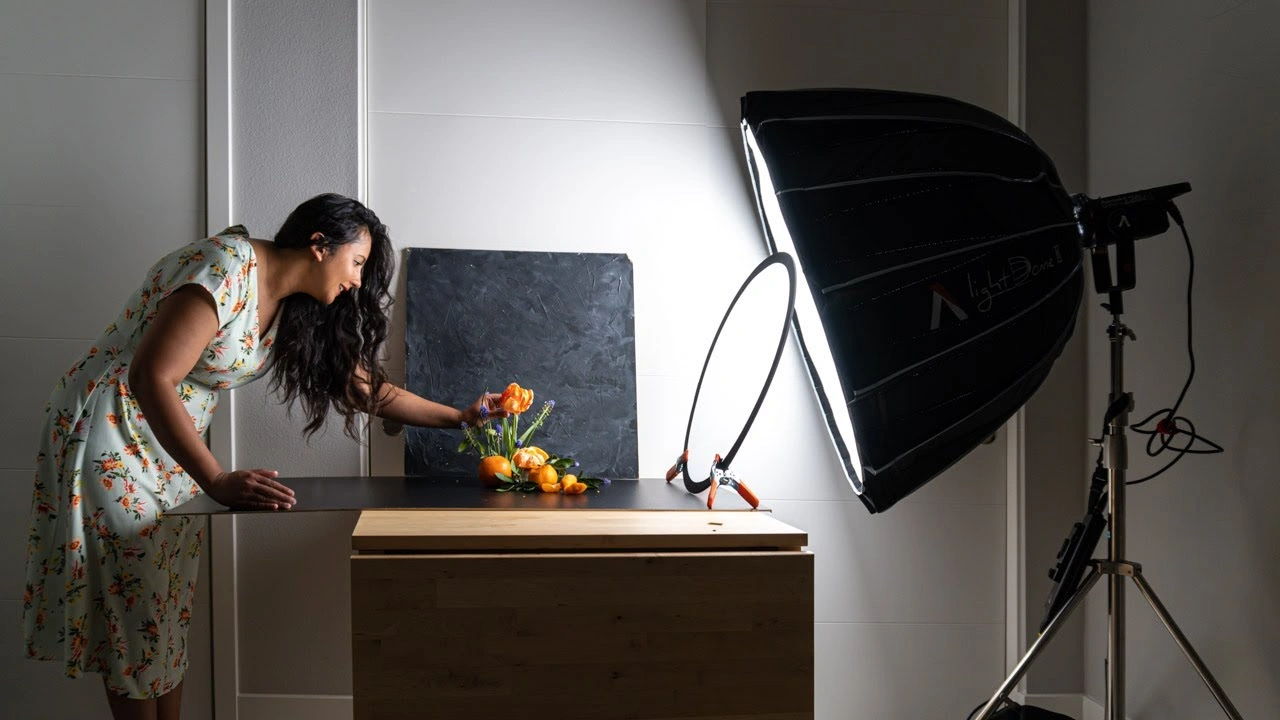
Lighting plays a critical role in producing high-quality packshots. Professional studio setups often use strobes such as Broncolor and FOMEI, along with lights that support DMX control. When combined with motorized turntables like those from Photo Studio Cutout Partner t, lighting becomes highly efficient and consistent.
Advanced systems can track the product’s position thousands of times per second, allowing photographers to capture images while the turntable is rotating. Instead of stopping the motion, the camera freezes the subject using flash lighting. This approach speeds up the workflow significantly while maintaining sharp, precise, and professional-quality images.
In this setup, depending on the product, the entire capture process typically takes no more than 20 seconds. While some manufacturers prefer continuous lighting and may argue that strobe lighting is unnecessary, systems like those from Top Editing Agency Cutout Partner are designed to handle shutter speed, texture capture, white balance, and color temperature with precision and consistency.
With strobe lighting, shutter speed is no longer a limitation, and photographers can consistently achieve sharp, well-exposed images. This ensures accurate representation of product details, including texture and color, without compromise.
Ultimately, the faster you can produce and publish high-quality product images, the more efficient your workflow becomes. The key focus should always be on capturing realistic representations of a product’s shape, texture, and color in the shortest possible time. For long-term success, investing in efficient and scalable solutions is more valuable than prioritizing short-term cost savings.
The Best Angles for Packshot Photography
In packshot photography, choosing the right angles is essential to effectively showcase a product. Each angle provides unique value and helps highlight different aspects of the product, such as design, branding, and important details. The goal is to present the product clearly, just as customers would see it in real life.
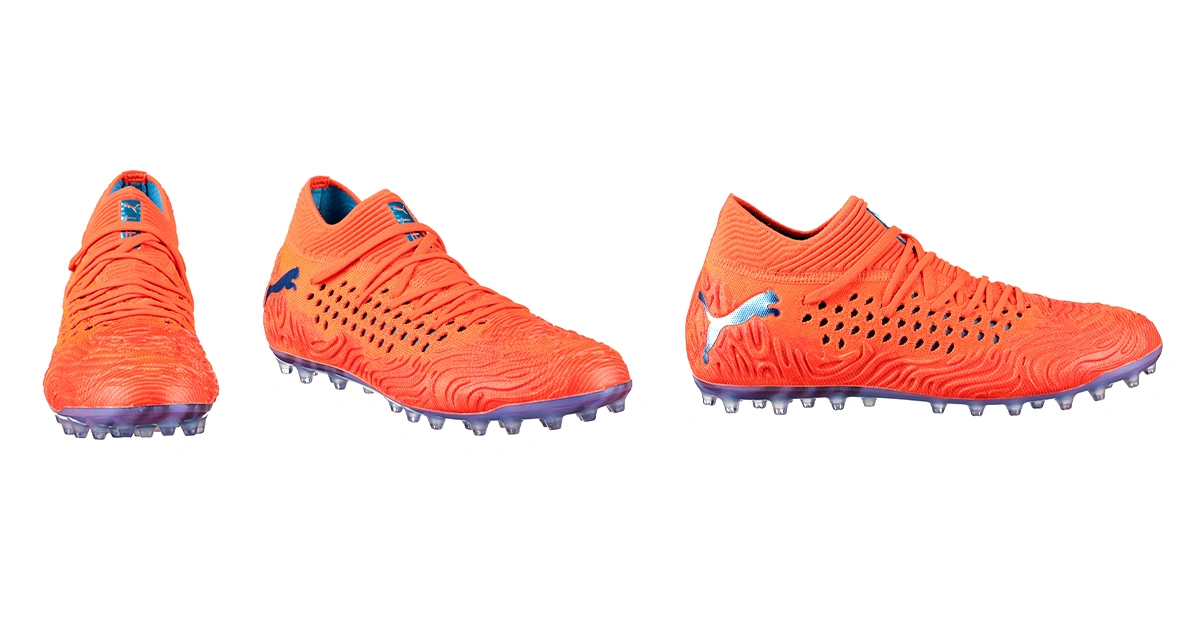
Front Angle
The front angle is one of the most commonly used shots and is often the first image shown on a product page. It closely resembles how a customer would see the product in-store and highlights its key features, making it ideal for general presentation.
Profile Shot
Profile shots capture one side of the product, focusing on its shape and side details. This angle is particularly useful for products where branding or design elements are visible from the side, such as footwear or bottles.
45-Degree Angle
The 45-degree angle combines the front and side views, offering a more comprehensive look at the product. It helps display both structure and depth, giving customers a better overall understanding of the item.
Other Useful Angles for Packshots
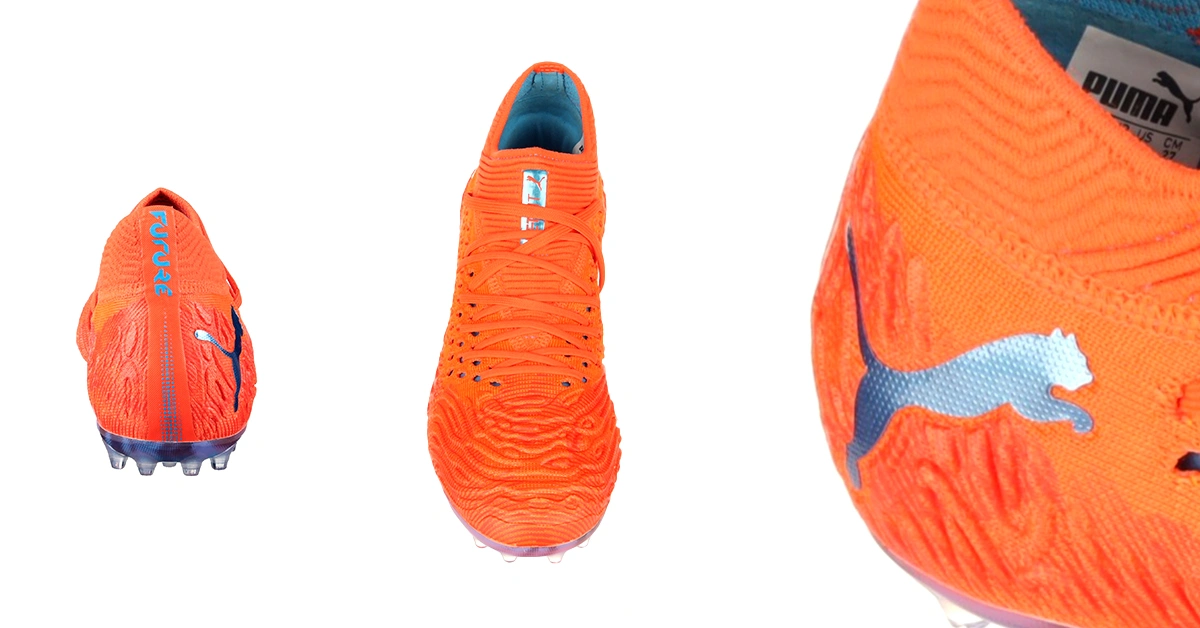
Back Angle Shot
The back angle is important when products include information such as ingredients, instructions, or specifications. It is typically used later in product galleries and focuses more on informative details than visual appeal.
Top-View Shot
Also known as a bird’s-eye view, the top-view angle is captured from above. It works well for flat products, packaging, or items displayed in a layout format, helping show size, shape, and arrangement clearly.
Macro (Close-Up) Shot
Macro shots zoom in on specific parts of a product to highlight fine details like texture, material, logos, or craftsmanship. These close-up images help customers better understand the quality and uniqueness of the product.
Using a combination of these angles ensures a complete and professional presentation that enhances product clarity and builds customer confidence.
Stages of Post-Production (with Minimal Retouching)
Post-production in packshot photography is streamlined when using systems like those from Expert Photo studio and Cutout Partner. t. Much of the editing process is automated, reducing the need for extensive manual retouching while still ensuring high-quality results.
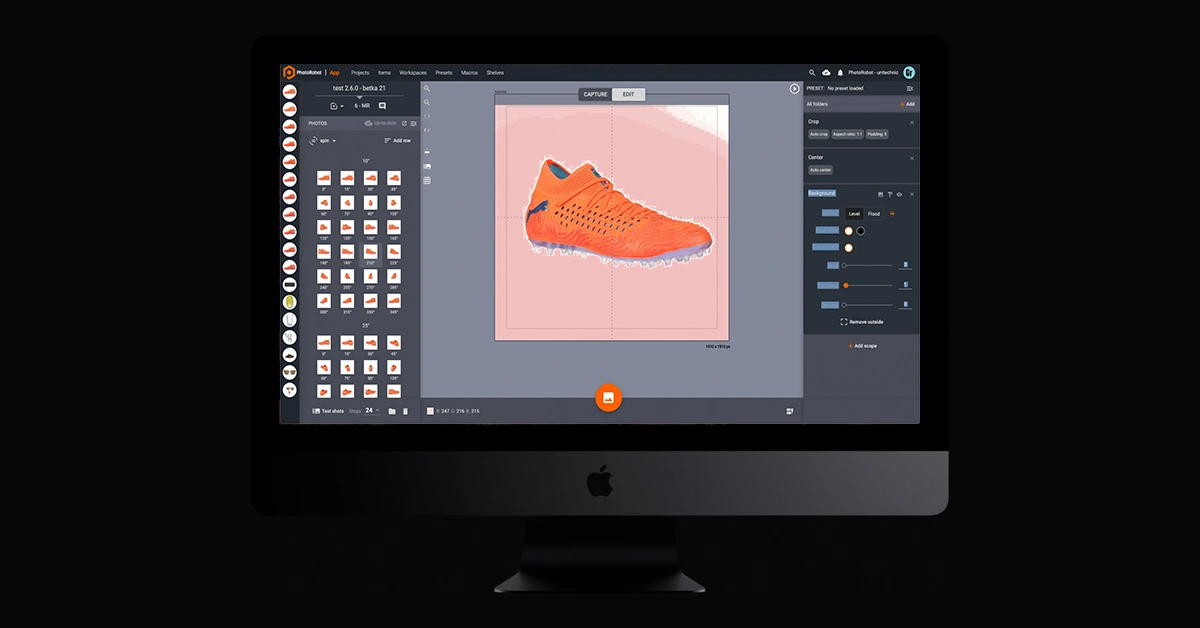
Background Removal
Backgrounds can be adjusted or removed either semi-automatically or manually. There are several methods available, including removal by level, by flood, or freemasking. Once the background is removed, a clean white background is typically applied for packshot images, especially for eCommerce use.
Surface Retouching
Surface retouching tools, such as brushes, allow editors to remove unwanted elements from an image. These tools can adjust size and edge softness and are often used before applying clarity and color corrections. The brush tool can also be set to operate automatically for efficiency.
Clarity & Color Adjustment
After retouching, images can be enhanced by improving clarity through sharpening or unsharp masking. Additional adjustments to hue, saturation, and lightness help achieve accurate and consistent colors that align with brand guidelines.
Post-Production Automation Tools
Automation plays a major role in modern packshot workflows. With preset configurations, photographers can save capture and editing settings and apply them across multiple images or entire product batches. With a single action like “Apply All,” hundreds of images can be processed quickly and consistently.
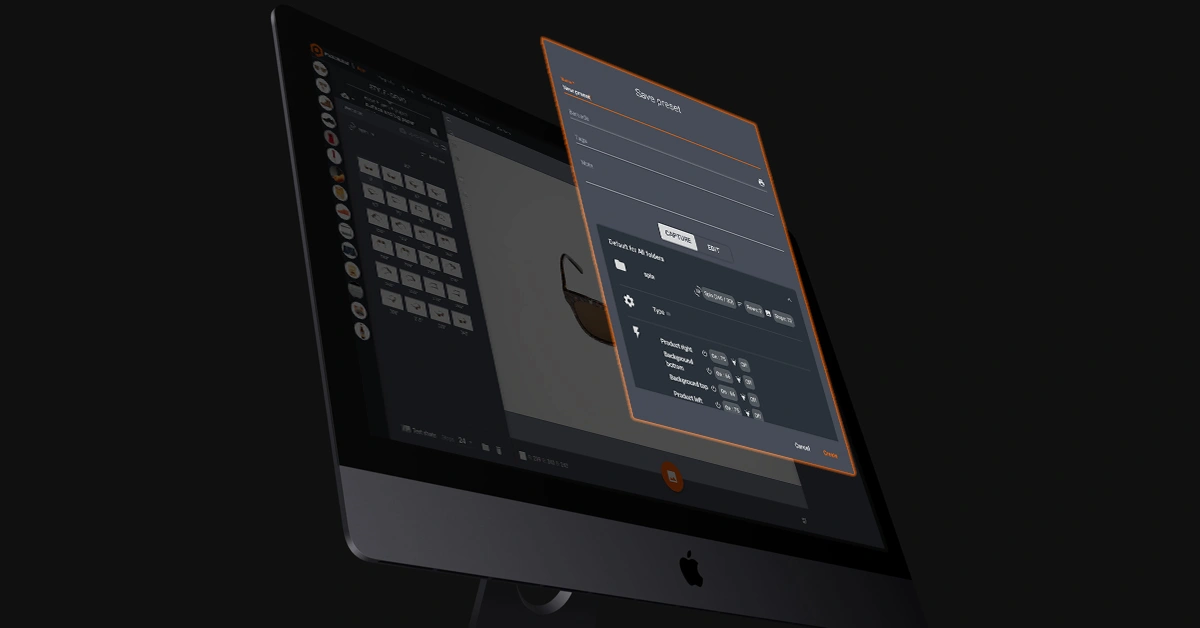
Automated tools handle tasks such as cropping, centering objects, removing backgrounds, adding overlays, and more. Advanced algorithms also help adjust contrast, sharpness, and other parameters immediately after capture, significantly reducing manual effort and saving time.
Professional Packshot Photography Equipment
Choosing the right equipment is essential for efficient packshot photography. Here you can choose a variety of motorized turntables designed for different product sizes and studio needs.
- The Centerless Table is ideal for small to medium-sized products.
- The Frame is a portable solution suitable for mobile setups.
- The Robotic Turntable is designed for heavier objects like machinery.
- The Turning Platform supports larger items such as furniture.
- The Carousel system (available in sizes 3000 and 5000) is built for very large products like motorcycles, quads, and automobiles.
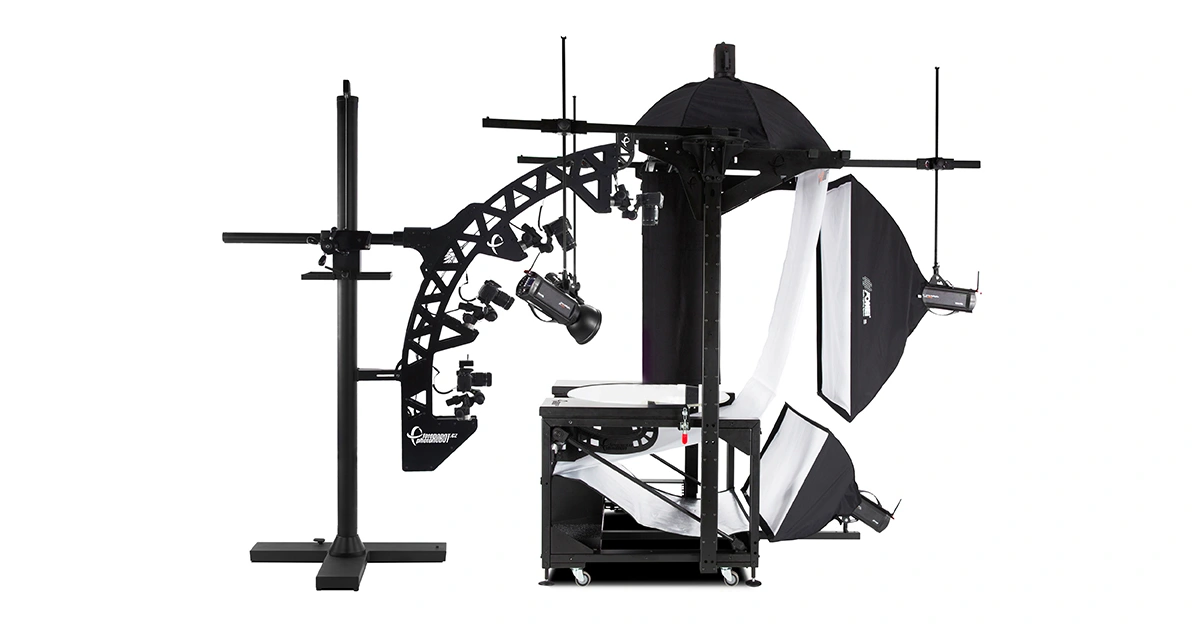
Many of these systems can be combined with a Robotic Camera Arm, enabling smooth, precise, and automated camera movement. With robust construction and compatibility with multiple camera types, these solutions allow photographers to efficiently capture products of virtually any size with consistent quality.
Using Professional Studio Photography Turntables
It’s important to note that Cutout Partner Studio Setup is not a typical all-in-one product photography booth. While such solutions may be suitable for basic needs or limited budgets, they often lack the flexibility, precision, and scalability that more advanced systems provide.
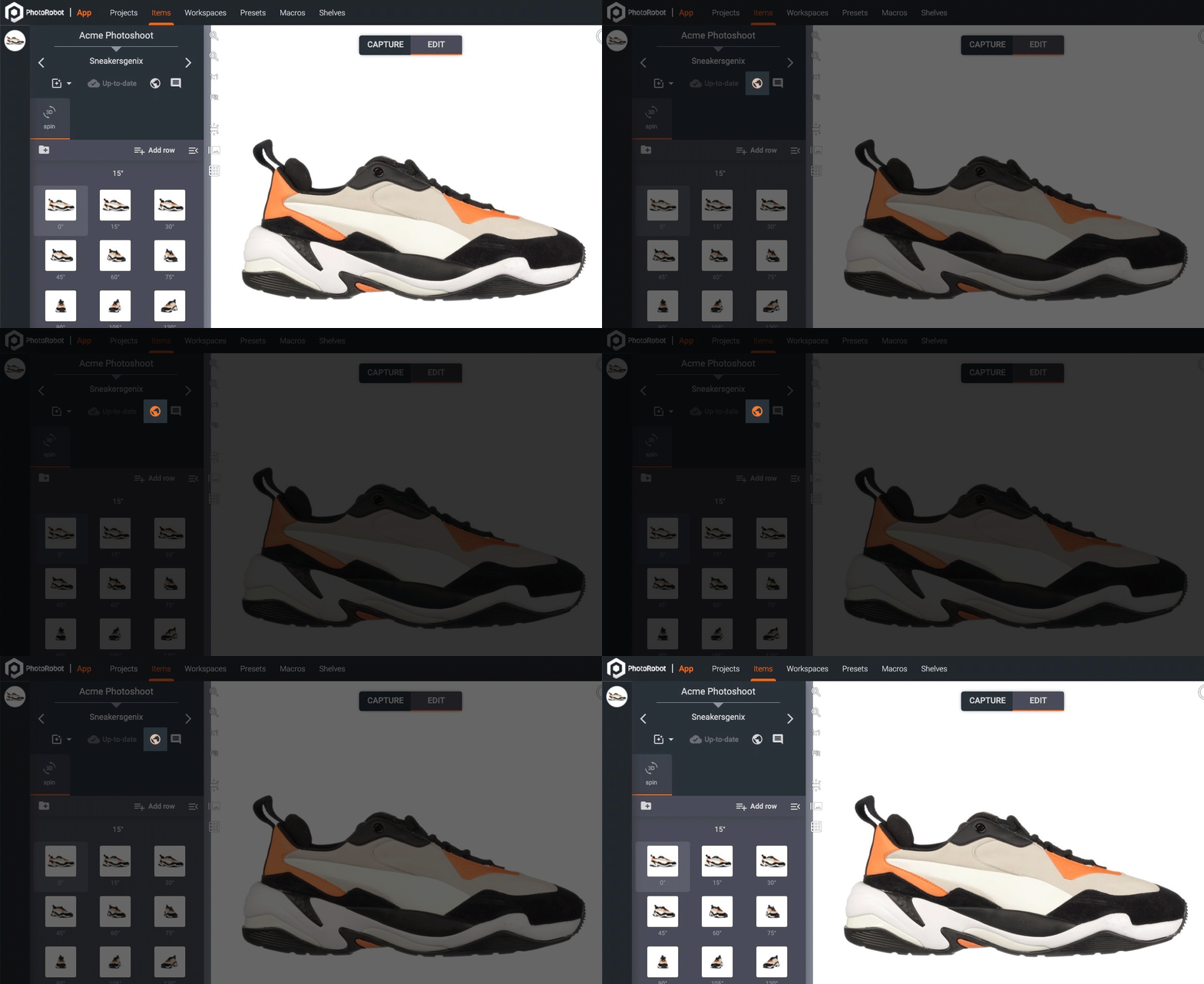
Photographers using Cutout Partner Studio setup setups should have a basic understanding of flash lighting and the use of light diffusers. However, beyond these fundamentals, the software-supported studio environment simplifies the entire workflow. It enables users to achieve consistent, high-quality results with minimal effort in post-production.
The core objective is simple: save time where it matters most without compromising on image quality. Stage-by-stage automation plays a key role, along with tools that allow for immediate editing and direct publishing to product pages.
Revolutionizing Studio Workflow
Traditional workflows often involve multiple manual steps—capturing images locally, creating backups, transferring files, performing post-production, backing up again, and finally uploading and sharing. In contrast, Cutout Partner transforms this process into a streamlined, automated workflow.
With cloud-based image capture, automatic backups, and integrated post-processing, much of the manual effort is eliminated. Images can be processed and published directly from the system, significantly reducing time and improving efficiency at every stage of production.
Whether capturing still images, packshots, 360° spins, or photogrammetry-based 3D models, Expert Studio Setup enables photographers to produce high-quality visuals in a cost-effective and efficient manner. Creating realistic packshots, applying backgrounds, and minimizing manual editing has never been easier.
Ultimately, the right combination of equipment and workflow depends on your specific goals. By choosing a system that aligns with your needs, you can optimize both productivity and image quality while maintaining consistency across all product visuals.
Why Choose Cutout Partner for Professional Packshot Photo Editing Services
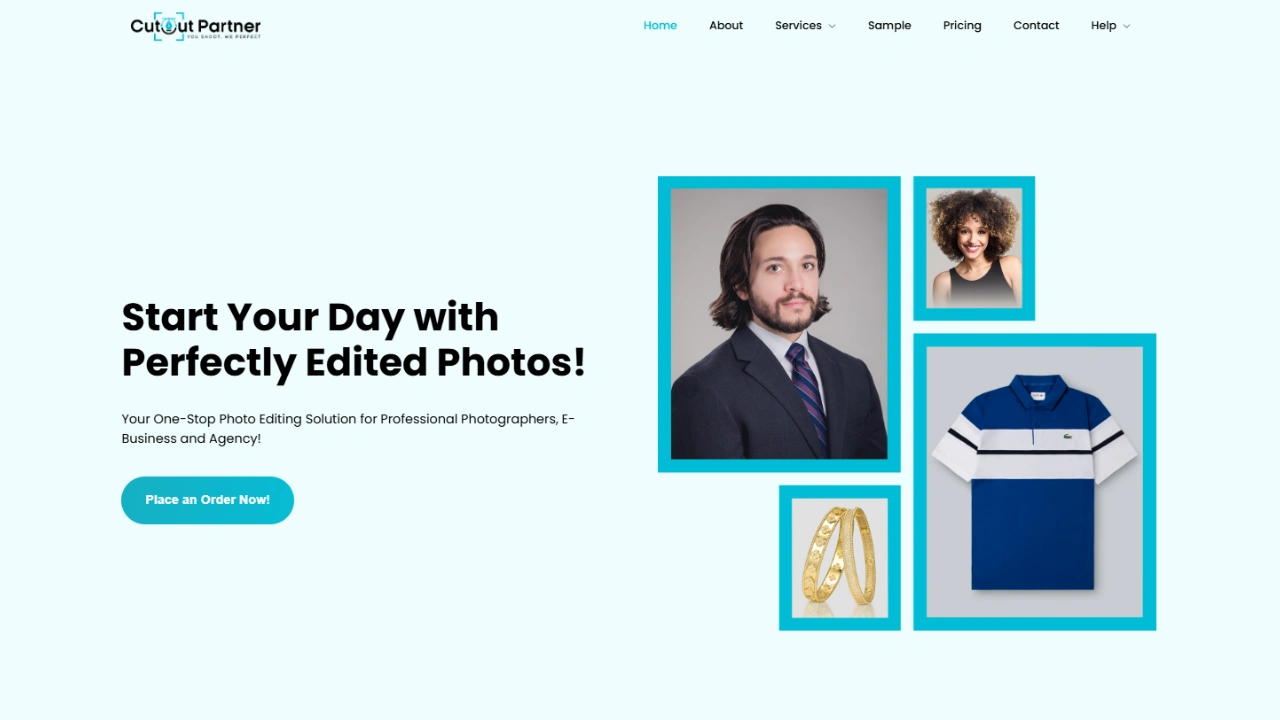
Packshot photography plays a vital role in eCommerce and marketing, where high-quality images directly influence customer trust and purchasing decisions. However, capturing the perfect shot is only half the job—professional editing is what transforms raw images into polished, sales-ready visuals. This is where choosing the right editing partner becomes essential.
One of the key reasons to choose Cutout Partner is its expertise in delivering consistent, high-quality photo editing services. The team understands the importance of maintaining accurate product representation while enhancing clarity, sharpness, and overall visual appeal. Every image is carefully refined to meet industry standards without compromising realism.
Another important advantage is their focus on precision. Packshot images require clean background removal, proper alignment, color correction, and shadow adjustments. Cutout Partner ensures that each product looks natural, well-balanced, and visually appealing, helping brands maintain a professional and trustworthy image across all platforms.
Scalability is also a major benefit. Whether you have a small batch of products or thousands of images, Cutout Partner can handle bulk editing efficiently while maintaining consistency. This makes it an ideal choice for growing eCommerce businesses, photographers, and brands with large product catalogs.
In addition, fast turnaround time is a crucial factor in today’s competitive market. Cutout Partner streamlines workflows to deliver edited images quickly, allowing businesses to upload products faster and reduce time-to-market.
Finally, affordability combined with quality makes their services a strong choice. Clients receive professional-level editing without exceeding their budget, ensuring long-term value.
In summary, Cutout Partner stands out for its accuracy, consistency, scalability, and efficiency—making it a reliable partner for professional packshot photo editing services.
Conclusion
Mastering packshot photography in 2026 is all about combining the right techniques, professional equipment, and an efficient workflow to produce clean, consistent, and high-quality product images. From selecting appropriate cameras, lenses, and lighting setups to capturing precise angles and maintaining accurate color and detail, every step contributes to creating visuals that attract customers and build trust.
Equally important is post-production, where raw images are refined into polished, market-ready assets. Background removal, photo color correction, retouching, and consistency across product lines ensure that images meet both brand standards and marketplace requirements. In today’s fast-paced eCommerce environment, automation and streamlined processes further help photographers and businesses save time while maintaining quality.
Partnering with experts can also make a significant difference. Services like Cutout Partner provide professional packshot photo editing that enhances image quality while preserving realism and brand consistency. By combining strong in-house photography with expert editing support, businesses can achieve outstanding results.
Ultimately, success in packshot photography comes from precision, consistency, and the ability to adapt to modern tools and workflows. With the right setup and support, brands can create compelling product visuals that stand out, engage customers, and drive conversions in an increasingly competitive digital marketplace.
Share this post


Ready to transform your images?
Elevate your brand with stunning, high-impact visuals. We’ll refine your photos to leave a lasting impression!
Get Started Now!