
Ecommerce Photo Editing Checklist for Product Sellers (2026)
Cutout Partner
January 16, 2026
0 views
In eCommerce, product images are not just decorative—they are decision-makers. A customer might be attracted to your product idea, pricing, or brand positioning, but if your images appear unprofessional, inconsistent, or unclear, trust is broken immediately, and the sale is lost.
Industry research consistently shows that product images are critical in online purchasing decisions, especially in competitive marketplaces where customers cannot physically examine products. This is why successful eCommerce brands follow a structured photo editing checklist before uploading images to platforms like Amazon, Shopify, Etsy, and Walmart.
This guide highlights what truly matters in eCommerce photo editing, the most common mistakes sellers make, and how proper image optimization directly affects conversions, returns, and long-term credibility. The checklist covers both technical requirements and visual best practices for eCommerce platforms, ensuring your product images are professional, consistent, and conversion-ready.
What is Ecommerce Photo Editing?
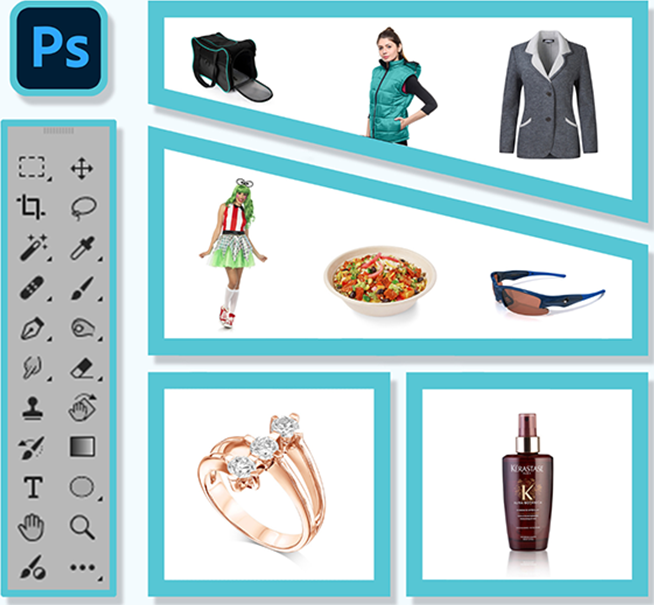
Ecommerce photo editing is the process of enhancing and optimizing product images for online selling by improving image quality, correcting backgrounds, adjusting colors, refining details, and ensuring compliance with platform requirements—all while keeping the product realistic and true to life.
The goal is simple: to help customers clearly understand the product and feel confident enough to make a purchase. Ecommerce photo editing goes far beyond basic background removal. It includes tasks such as background removal, color correction, retouching, and platform-specific image optimization, ensuring that your product images are professional, appealing, and fully compliant with online marketplace standards.
The Complete Ecommerce Photo Editing Checklist
1. Image Quality & Resolution: First Impressions Count
Low-quality versus high-quality ecommerce product images—blurry compared to sharp details
Image quality is the very first thing buyers notice. Low-resolution or blurry images silently send the message:
“This seller may not be reliable.”
Ecommerce product images should meet these minimum standards:
- At least 2000 pixels on the longest side
- Sharp focus without motion blur
- Clean, balanced lighting
- Clear visibility on mobile devices
At the same time, images must be optimized for performance. Large, uncompressed files can slow down websites and negatively impact SEO.
The key is to find the right balance between:
- Visual clarity
- Reasonable file size
- Fast loading speed
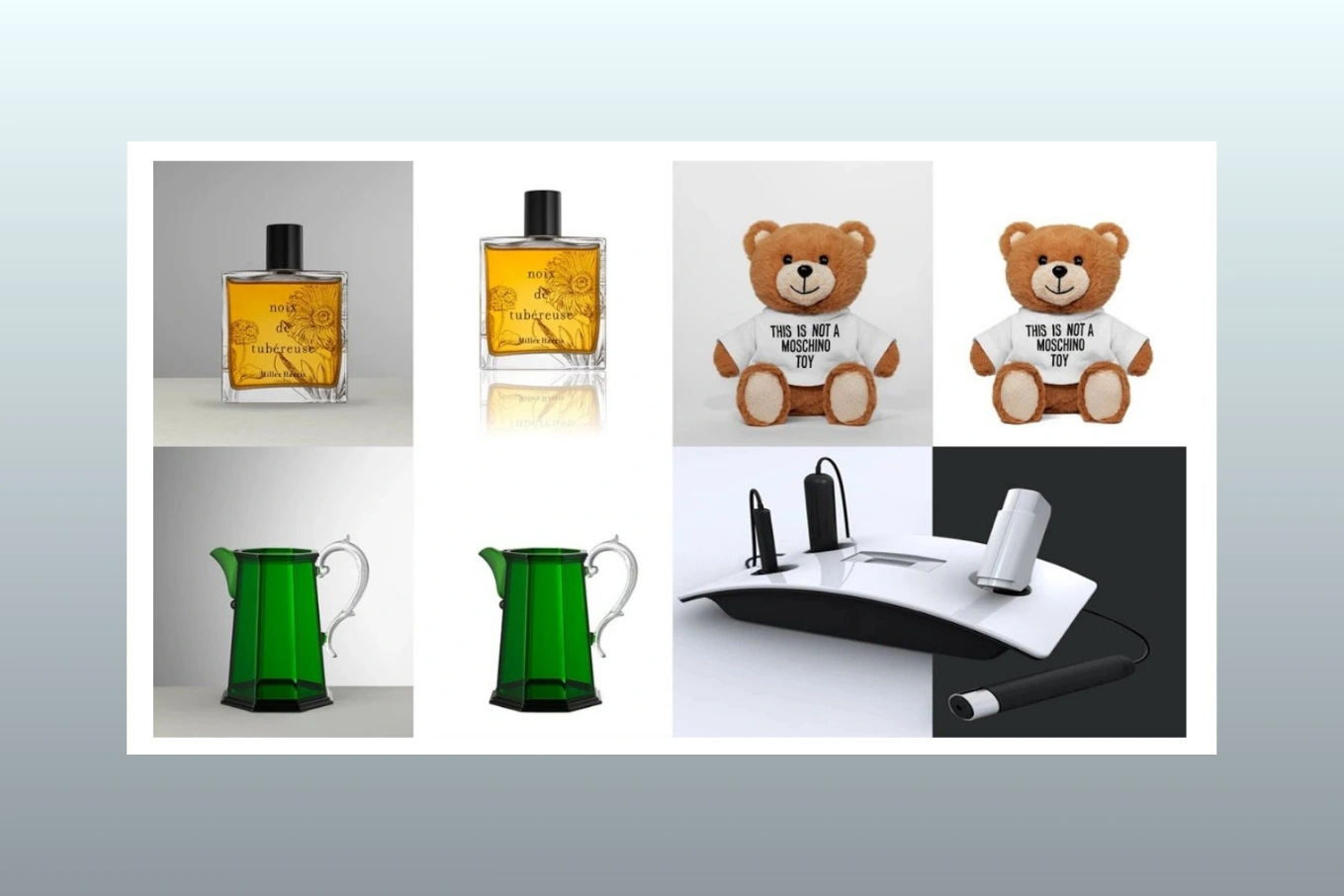
2. Background Removal: Clean and Natural, Not Artificial
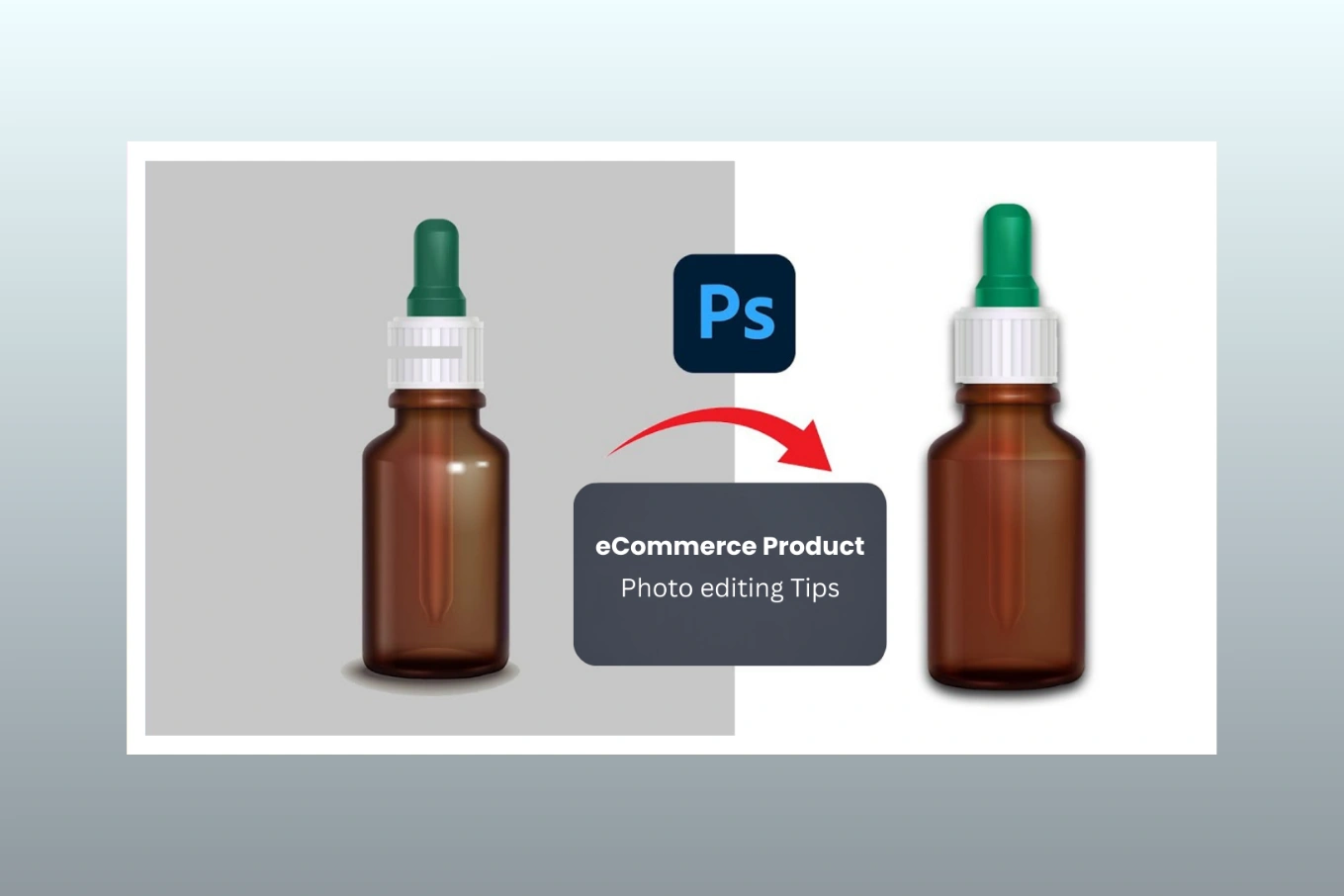
Before and after background removal—showing an ecommerce product image cleaned and ready for marketplace use
Background removal is one of the most common—but often poorly executed—steps in ecommerce photo editing.
- Most marketplaces require:
- Pure white background (#FFFFFF)
- Clean, smooth edges
- No halos, jagged pixels, or color spill
This is particularly important when following strict Amazon product image guidelines, where even minor violations can result in listing rejection. Poorly executed background removal gives an unnatural appearance, making products look “edited” rather than real.
- Clean background work ensures:
- Accurate product shape
- Professional presentation
- Marketplace compliance
Even when customers can’t consciously identify the issue, they instinctively scroll past images that look unnatural.
3. Color Correction: Accuracy Reduces Returns
Ecommerce color correction example showing incorrect versus accurate product colors
- Color accuracy is essential, particularly for categories such as:
- Fashion and apparel
- Jewelry
- Furniture
- Cosmetics
Home décor
If the product colors appear different in real life, customers may feel misled, which can lead to dissatisfaction and returns.
Proper color correction includes:
- Correct white balance
- Balanced exposure
- Consistent color tones across all images
- Avoiding over-saturation
Ensuring accurate colors builds long-term credibility and significantly reduces return rates.
4. Retouching: Improve Clarity Without Misrepresentation
Retouching should enhance clarity without altering the reality of the product.
- Good ecommerce photo retouching:
- Removes dust, stains, and scratches
- Cleans fabric wrinkles naturally
- Enhances texture and product details
- Poor ecommerce photo retouching:
- Over-smooths surfaces
- Alters product shape
- Creates unrealistic reflections
The guiding principle:
Make the product look clean and clear, not different from how it actually appears.
Exclusive Resource:
Cutout Partner’s Expert eCommerce Product Photo Editing Tips
5. Visual Consistency Across Images
Comparison showing inconsistent versus consistent ecommerce product images with differences in lighting, scale, and angle
One often overlooked issue that negatively impacts brand perception is inconsistency.
When product images vary in:
- Lighting style
- Color tone
- Scale or alignment
The store can feel unfinished, even if each individual image looks fine.
Strong ecommerce brands maintain:
- Uniform lighting
- Consistent cropping
- Equal product scale
- Aligned angles
6. Cropping & Alignment: Platform-Specific Matters
Different platforms display images differently. What works on Shopify may not work on Amazon, and what looks fine on a desktop may fail on mobile devices.
- Proper cropping ensures:
- The product stays centered
- Key details remain visible
- Images look balanced across all devices
Professional workflows always include preparing platform-specific image versions to ensure optimal display and performance.
You might also read this relevant article
- Best & Affordable Clipping Path Service Provider
- Product Photography Pricing Guide – How Much Should You Charge
- How to Choose the Best Photo Retouching Company
- Photoshop Services Near Me: Why Choose Cutout Partner
- Cutout Partner: Expert Photo Editing Services for eCommerce
7. Technical & Marketplace Optimization
This step is invisible to buyers but critical for performance. Proper product image optimization for ecommerce improves page speed, search visibility, and marketplace approval rates.
It includes:
- Correct file format (JPG or PNG)
- Optimized file size
- SEO-friendly image naming
- Compliance with marketplace image rules
- These technical optimizations help improve:
- Approval rates on marketplaces
8. Lifestyle & Context Images
Once core product images are perfected, lifestyle visuals can add significant value.
They help buyers:
- Visualize real-world usage
- Understand size and context
- Connect emotionally with the product
When done professionally, lifestyle images often improve conversion rates. They should complement, not replace, clean and compliant product photos.
Real-World Example (Why This Matters)
A fashion seller noticed a 22% increase in conversion rate after correcting inconsistent lighting and color tones across their product images. The products themselves didn’t change — only the visual presentation did. Small improvements, when applied consistently, compound over time.
Why Ecommerce Image Standards Matter Even More in 2026
In 2026, ecommerce image quality plays an even bigger role due to:
- Mobile-first browsing, where images must load quickly and remain clear on small screens
- AI-generated content, increasing the need for accurate and trustworthy product visuals
- Stricter marketplace image compliance, especially on platforms like Amazon and Walmart
As competition intensifies, clean and accurate product images are no longer optional — they are a baseline requirement.
Quick Ecommerce Photo Editing Checklist (At a Glance)
Use this quick checklist to audit your existing product images:
- 2000px+ image resolution
- Clean white background (#FFFFFF)
- Accurate color correction
- Natural retouching
- Visual consistency
- Platform-specific cropping
- Optimized file size
Should You Edit In-House or Outsource?
Many established sellers eventually partner with professional ecommerce photo editing teams to:
- Save time
- Maintain consistency
- Handle large volumes of images
- Meet marketplace standards
At Cutout Partner professional teams support ecommerce sellers with scalable photo editing, fast turnaround, and structured quality control. Pricing is typically volume-based, offering low per-image costs for bulk sellers.
You might also read this relevant article:
- A Complete Guide: Retouching Tips & Tricks for Flawless Images
- A Complete Guideline of Clipping Path: Cutout Partner
- Masking vs Clipping Path: Expert Tips for Flawless Photo Editing
Final Thoughts
Bottom line: Clear, accurate, and consistent product images convert better than aggressive advertising.
An ecommerce photo editing checklist isn’t about perfection—it’s abou
- Clarity
- Accuracy
- Visual consistency
- Long-term credibility
When your images communicate trust, customers respond with confidence.
A Practical Next Step Before You Spend More on Ads
Before increasing your ad budget, audit your top 10 products using this checklist. If your images are unclear, inconsistent, or misleading, even the best ads will struggle to convert. Improving product visuals is often one of the highest-ROI optimizations an ecommerce seller can make.
Frequently Asked Questions (FAQ)
What is ecommerce image editing?
Ecommerce image editing is the process of preparing product photos for online selling. It involves improving image quality, cleaning backgrounds, correcting colors, and maintaining consistency so products appear professional, accurate, and trustworthy across ecommerce platforms.
Why is image consistency important in ecommerce?
Image consistency is crucial because it builds trust and brand credibility. When all product images share the same lighting, scale, and color tone, customers feel more confident about the store and are more likely to complete a purchase.
Does better image editing really improve conversion rates?
Yes. High-quality image editing significantly improves conversion rates. Clear, accurate, and consistent product images reduce buyer hesitation and increase trust. When customers understand exactly what they are buying, they feel more confident making a purchase—even without changing pricing or promotions.
Is ecommerce photo editing different for Amazon and Shopify?
Yes. Amazon has strict image requirements, such as pure white backgrounds and specific sizing rules, while Shopify allows more flexibility in backgrounds and presentation. Ecommerce photo editing should always be tailored to meet each platform’s guidelines to avoid listing issues and maintain visual consistency.
Share this post
Ready to transform your images?
Elevate your brand with stunning, high-impact visuals. We’ll refine your photos to leave a lasting impression!
Get Started Now!