Clipping Path vs Image Masking: Key Differences Explained in 2026
Cutout Partner
July 4, 2026
252 views
If you’ve ever zoomed in on a product photo and thought, “Why do these edges look weird?”, you already understand why this topic matters. In 2026, visuals move faster than ever across e-commerce, ads, catalogs, and social feeds, and a clean cutout is often the difference between “premium brand” and “cheap listing.” That’s exactly where Clipping Path vs Image Masking becomes a real, practical decision, not just a design term.

At a glance, both techniques help isolate a subject from its background. But they solve different problems, create different edge quality, and fit different workflows. If you pick the wrong one, you’ll waste time, increase revisions, and sometimes ruin fine details like hair, fur, transparent glass, or motion blur. In this blog, we will explain the difference between Clipping Path and Image Mask in easy English. We’ll show you when to use either one, and explain what has changed in 2026 with the current technology and customer needs.
What Clipping Path Actually Means
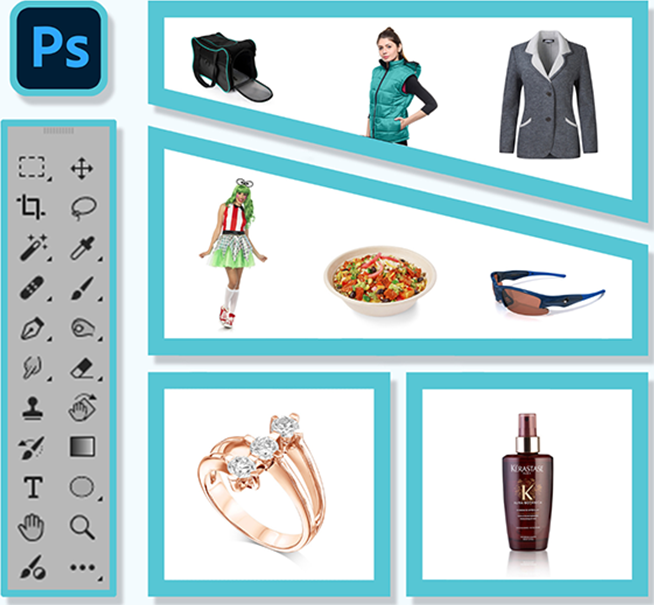
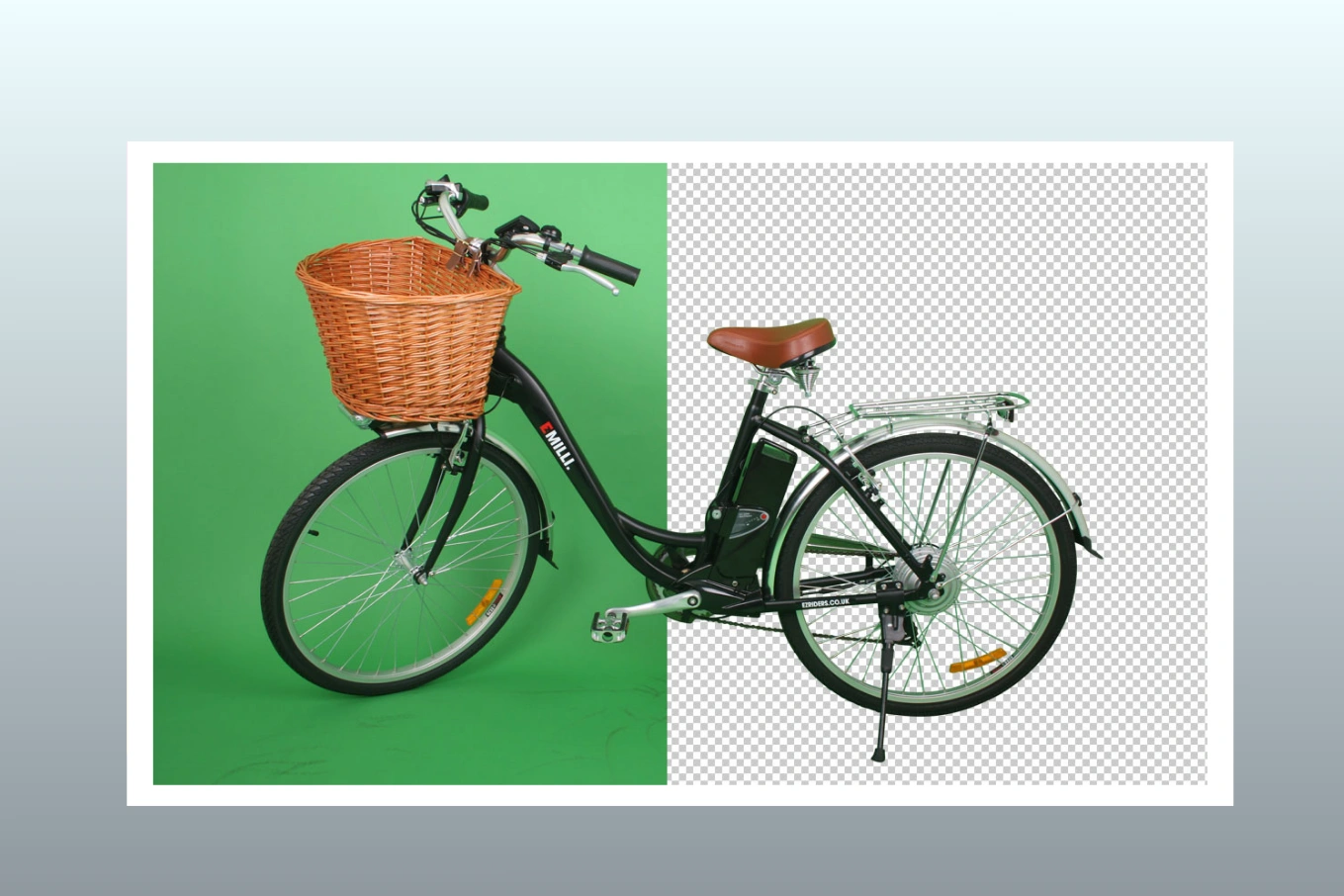
Clipping Path: Drawing an outline around an object so that it can be clipped out from the backdrop. It’s vector. Attempt to trace a shoe, watch, bottle or phone with the Pen Tool in Photoshop and delete whatever that lies outside the path.
Because clipping paths are vector shapes, they are crisp and controlled, especially on hard-edged objects. They’re also predictable. If you need the same type of cutout across hundreds or thousands of SKUs, clipping paths give you consistency and speed once the workflow is dialed in.
In most professional production settings such as those offered by Cutout Partner professional image editing services , clipping paths are used for:
- Removing backgrounds for product images (especially on white)
- Creating clean cutouts for catalogs and marketplaces
- Building consistent silhouettes for bulk e-commerce workflows
- Preparing images for print where edges must stay sharp
In the Clipping Path and Image Masking debate, clipping path is the “precision scalpel” for hard surfaces and defined edges.
What Image Masking Really Is

Image masking is the broader technique of hiding or revealing parts of an image using a mask instead of a hard vector outline. In Photoshop, masking is pixel-based. It can be soft, feathered, semi-transparent, and detail-friendly.
This is why masking works great for items with messy, not solid edges like:
Hair and fur Sheer materials (lace, tulle) Transparent or semi-transparent items (glass, smoke, droplets of water) Dynamic photos, sports products, motion blur Glows reflections, soft shadows
In the debate of Clipping Path and Image Masking, masking is the “fine brush” that can keep subtle transitions and realistic edges intact, without making the cutout look phony.
Why This Comparison Matters More In 2026
A few years ago many brands could get away with plain cut-outs. Customers will want greater realism, more consistency and more speed in 2026. Marketplaces are stricter about backgrounds. Product pages are more visual. And AI-generated imagery has raised the bar, ironically pushing professional product image editing to look even cleaner and more intentional.
Also, editing is now often part of a larger pipeline: retouching, color correction, shadow creation, resizing, compression, and formatting. Choosing between Clipping Path and Image Masking affects the whole pipeline, including cost, turnaround time, and quality control.
The One Line Difference Between Clipping Path Vs Image Masking
If there’s one thing you remember, remember this:
The clipping path is best for hard edges. Image masking is best for soft edges and transparency.
But of course, real-world images aren’t always that simple, so let’s go deeper.
Edge Quality: Hard, Soft, And Everything In Between
Edge quality is where most people notice the difference immediately.
Edges are usually with a clipping path:
Crisp. Clean. Reliable. Sometimes a bit “too perfect” when softness of the thing is needed
With picture masking, the edges can be:
soft, natural Partially transparent Detailed (strands, fibers, blur) More realistic, but sometimes more difficult to standardize in bulk
Here’s a real-world example. Think about a model in a fuzzy jumper. A clipping path might chop off fibers, making the sweater look like cardboard. A mask can keep those fibers and preserve realism. Now imagine a stainless-steel utensil set for Amazon. A mask can work, but it’s usually unnecessary. A clean clipping path is faster and more uniform.
This is why Clipping Path and Image Masking is not a “which is better” argument. It’s about the edge you need.
Transparency And Semi-Transparency: Where Masking Wins
Transparency is a common failure point in low-quality editing. If you try to cut out a glass bottle with a clipping path, you’ll lose internal reflections, subtle gradients, and see-through areas. The result often looks like a flat plastic cutout.
Image masking is designed for this. It can preserve:
Glass transparency Water clarity Smoke and haze Veils and sheer clothing Light leaks and glow effects
In 2026, transparency editing is even more important because product photography often includes premium materials: acrylic, resin, polished plastic, frosted glass, glossy coatings, and reflective surfaces. For these, Clipping Path vs Image Masking usually leans strongly toward masking, or a hybrid approach.
Shadows: Natural Shadow, Drop Shadow, And Shadow Preservation

Shadows make cutouts look real. Remove them incorrectly and the product floats. Overdo them and it looks like a cheap composite.
Clipping pathways are often used in conjunction with:
Custom drop shadows (clean, uniform for catalogues) create Natural shadow extraction (possible but needs further masking work)
Image masking is typically a better for:
Gentle retention natural shadows Maintaining contact shadows and little fall-off Extracting shadows separately for real composites .
Many e-commerce teams want both in 2026. They want a clean background removal with unwanted object and a natural shadow that still grounds the product. That typically requires a combination of methods, which is why the Clipping Path vs Image Masking discussion often ends with “use both intelligently.”
Complexity: Simple Products Vs Messy Subjects
If you’re working with a simple object, clipping paths are efficient. If you’re dealing with anything messy, masking is safer.
Clipping path is great for:
Bags, shoes, boxes Electronics, tools, appliances Furniture with clear edges Bottles with solid outlines (non-transparent)
Image masking is great for:
Hair, fur, feathers Plants and leaves with tiny gaps Wedding dresses, lace, net fabric Fog, steam, powder, splashes
And here’s the uncomfortable truth: a lot of editing mistakes happen because someone tries to force a clipping path onto a masking problem, or uses a quick mask on a job that needs hard-edge precision. That’s why learning Clipping Path and Image Masking properly saves you money.
Editing Speed And Cost: What Usually Takes Longer?
Time equals cost, especially for bulk e-commerce. In general:
For simple goods and big quantities, clipping pathways are faster. Once you have accurately traced the edge you may apply it consistently and automate aspects of the operation.
Image masking can take longer because it’s detail-sensitive and often needs manual refinement, especially for hair, translucent edges, and mixed backgrounds.
But speed is not just about minutes per image. It’s also about revisions. If you choose the wrong method, you might be “fast” initially and still lose time correcting mistakes.
In most production environments, the practical approach in 2026 looks like this: use clipping paths wherever possible, then use masking where necessary, and combine them on complex images. That’s the real answer to Clipping Path and Image Masking in high-volume workflows.
File Requirements And Deliverables: What Clients Usually Need
This is another area where the right method depends on output.
Clipping path deliverables commonly include:
PSD with path saved TIFF/EPS with clipping path embedded (for print workflows) JPEG/PNG on white background Transparent PNG (though transparency itself is pixel-based)
Image masking deliverables commonly include:
PSD with layer masks PNG with transparency TIFF with alpha channel Separate shadow layers and reflection layers
In 2026, many brands want multi-purpose deliverables. They want a hero image for the website, a pure white version for marketplaces, and a layered PSD so the creative team can reuse the cutout later. That often means you’ll use both techniques in one file, again making Clipping Path vs Image Masking a workflow decision rather than a strict either-or.
Explore These Related Resources
Accuracy And Consistency: Which One Scales Better?
For large catalogs, consistency is everything. If you’re editing 5,000 images for a fashion retailer or a marketplace seller, edges must look like they came from the same studio.
Clipping paths typically scale better for consistent edges on similar products. A trained production team can deliver extremely uniform results.
Masking can still be consistent, but it depends heavily on editor skill and quality control, because softness varies and details differ from image to image.
The best production teams in 2026 build consistency through:
Clear guidelines (edge softness, shadow density, background values) Standardized file naming and export settings QC checklists and zoom-level inspections Special handling rules for hair, glass, and fabric
This is exactly the kind of production mindset we use at Cutout Partner, because consistent results matter as much as clean results.
Common Mistakes People Make
Most “bad cutouts” come from predictable mistakes, especially when someone doesn’t fully understand Clipping Path and Image Masking.
One common mistake is jagged edges. This usually happens when someone uses quick selection tools and exports without refining. Another is “haloing,” where a faint outline of the old background remains around the subject, especially on white. You also see over-feathering, where the edge looks blurry and low-quality, and over-smoothing, where hair becomes a weird melted shape.
To avoid these problems, you need two things: the right technique and proper refinement. A crisp product edge should be crisp. A soft edge should be soft, not messy. The method should match the material.
When To Choose Clipping Path

If you’re deciding quickly, choose clipping path when your subject has a clear, solid boundary and the goal is a clean, commercial cutout.
Use clipping path when you’re working with:
Hard goods (electronics, tools, kitchenware) Shoes, bags, accessories with clean outlines Packaging and boxes Products for Amazon-style white background requirements Bulk catalogs where consistency matters most
This is the side of Clipping Path and Image Masking that wins for speed, uniformity, and clean silhouettes.
Top Use Cases for Image Masking
When you care about realism and edge detail, and particularly if you need transparency or softness, use masking.
Use image masks when you are working with:
Hair and fur (models, wigs, pets) Transparent fabrics (lace, veil, net) Glassware (transparent items, bottles with transparent parts) Smoke, steam, splashes, dust Soft shadows that have to remain natural
This is where the natural transitions and the preservation of small features give Clipping Path the edge over Image Masking.
The Hybrid Approach: What Real Professionals Do
In actual production, pros often combine both strategies. A common example is a model image. You might apply a clipping path for crisp, rigid clothing edges, and masking for hair and semi-transparent portions . Or for a glass bottle you may have a path for the exterior outline, masking for transparency and inside details, and different layers for reflections.
In 2026, hybrid workflows are more common because clients want “perfect and create natural realistic in photoshop” at the same time. Clean edges for brand consistency, and natural detail where the human eye expects it.
So if you’re trying to “pick one,” the most honest answer in the Clipping Path and Image Masking debate is: pick the one that fits each part of the subject.
How AI Tools Changed The Workflow
Yes, AI selections and auto-masking have improved a lot. But here’s what hasn’t changed: clients still judge the final pixels. AI can speed up the first 80 percent, but the last 20 percent is still where professional editing lives.
AI will help with: By 2026
Fast background removal previews Initial selections Batch processing for simple items Edge Refinement Assisted
But AI still has trouble with:
Complex hair on crowded backdrops Reflections on Translucent Materials Fine edge contamination and halos Consistency throughout the entire catalogue
That’s why it still takes qualified editors and robust QC to produce great work. AI can be part of the workflow, but it doesn’t replace the need to Professional Clipping Path service and Image Masking and apply the right technique.
Quality Control Checklist
A good cutout looks clean at normal size, but a professional cutout holds up when zoomed in. Before delivering, check edges on light and dark backgrounds, because haloing often hides on white and shows on gray.
Here are a few must-check items that keep results professional:
- Edge cleanliness: No jagged lines, no leftover background pixels, no weird bites taken out of corners.
- Natural detail: Hair, fur, fabric fibers, and soft transitions should look believable, not painted or melted.
If you do this consistently, your Clipping Path Vs Image Masking choice will look intentional, not accidental.
Clipping Path Vs Image Masking For E-Commerce In 2026
Clipping path vs image masking for ecommerce product photo retouching is where these techniques get tested hardest because you’re usually handling volume, strict requirements, and different platforms.
Amazon-style marketplaces typically favor clean white backgrounds and consistent edges, which often means clipping paths for hard goods. Fashion brands and lifestyle brands often need masking because hair, fabric, and realism matter more. And many brands want both: a clean cutout for listings and a natural composite for ads.
In other words, Clipping Path and Image Masking Service in e-commerce is often a “two versions” requirement. Smart teams plan for that upfront, so they don’t rebuild the same image twice.
Clipping Path Vs Image Masking For Photographers And Agencies
For photographers, the priority is often realism and preserving the original look. Masking is common for portraits, wedding photography, maternity shoots, and pet photography. A simple product banner might use crisp paths and graphic shadows, while a beauty campaign might require delicate masking around hair and glow.
The biggest difference is the tolerance for imperfection. Photographers and agencies usually notice tiny edge issues immediately, because they work in high resolution and care about natural detail. That makes method choice critical, and again, it comes back to understanding Clipping Path vs Image Masking.
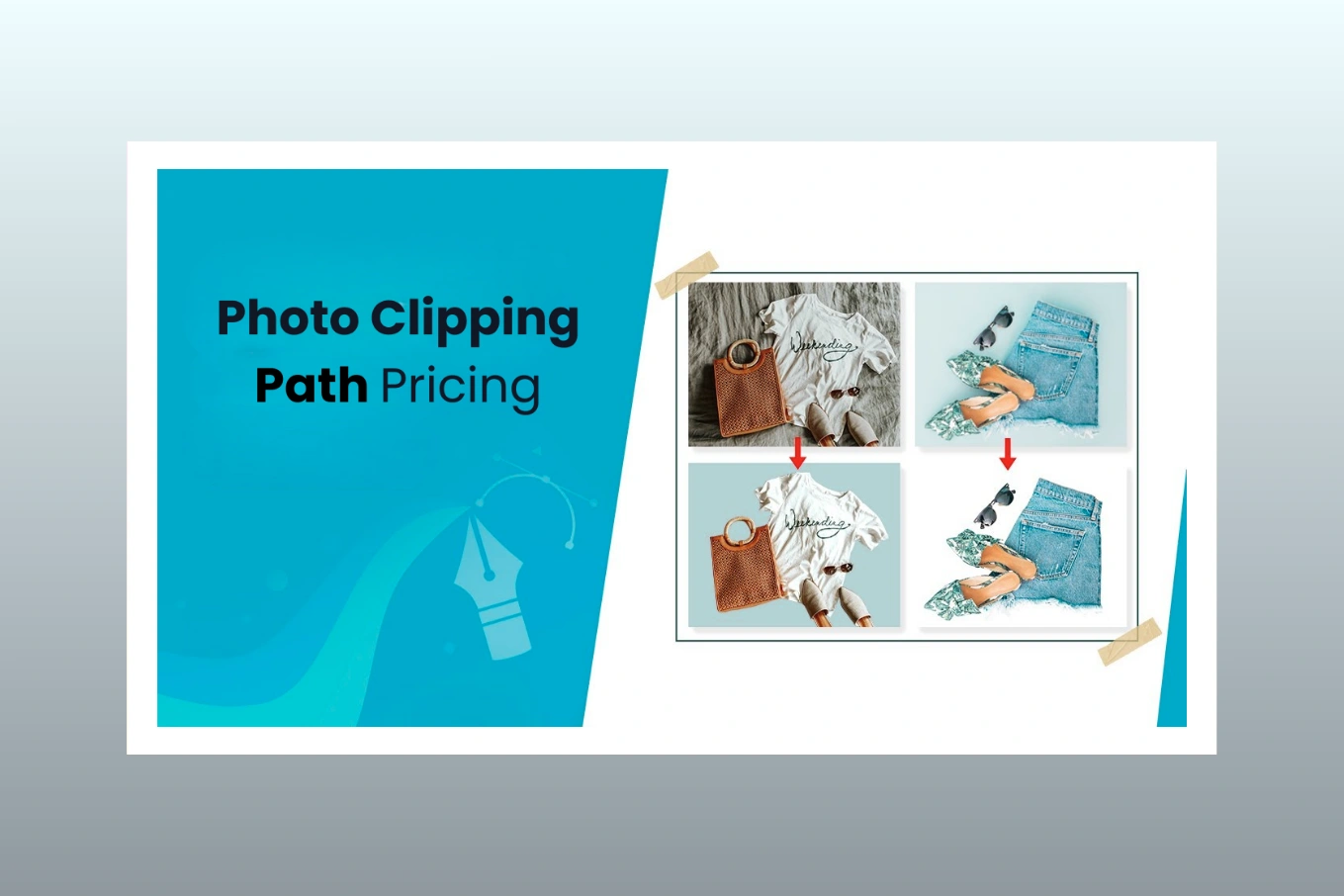
Pricing Expectations: Why Some Images Cost More
If you’re outsourcing, you’ll notice that some providers charge more for masking than clipping paths. That’s not just a random markup. Masking often requires more time, more skill, and more careful QC.
A clean clipping path on a simple object can be efficient. A perfect hair mask that looks natural on both white and dark backgrounds is harder. Add transparency, reflections, and shadow preservation, and you’re paying for the time and expertise needed to make it look right.
The good news is that when you work with a dedicated post-production team, you can standardize quality and reduce revisions, which is where the real savings happen.
Where Cutout Partner Fits Into This
Cutout Partner is a dedicated photo editing and post-production team based in Dhaka, Bangladesh. We support professional photographers, e-commerce businesses, and creative agencies worldwide with high-quality, reliable, and cost-effective image enhancement.
In practical terms, that means we handle the real daily work behind Clipping Path vs Image Masking decisions: choosing the right technique per image, keeping the edge quality consistent across batches, delivering fast turnaround, and making sure your visuals look polished everywhere they appear. If you’re scaling a store, managing client projects, or simply tired of inconsistent cutouts, having a production partner makes the workflow smoother.
Don’t Miss These Helpful Guides
- What Is a Clipping Path? A Complete Guide for Photoshop Users
- Best Affordable Clipping Path Service Provider: Cutout Partner
- How Much Does a Photo Clipping Path Pricing? Clipping Path Cost Explained
- Top 7 Best Clipping Path Service Providers in the USA
- Masking vs Clipping Path: Expert Tips for Flawless Photo Editing
- A Complete Guideline of Clipping Path: Cutout Partner
Let’s Wrap It Up
The cleanest way to think about Clipping Path vs Image Masking is this: clipping paths are built for hard edges and clean commercial cutouts, while image masking is built for realism, softness, and transparency. In 2026, most professional workflows use both, sometimes in the same image, because real products and real campaigns rarely fit into only one category.
Once you match the technique to the subject, your images stop looking “edited” and start looking intentional, premium, and trustworthy.
Frequently Asked Questions
What Is The Main Difference Between Clipping Path And Image Masking?
Clipping paths use vector outlines for sharp, hard edges. Image masking uses pixel-based masks to preserve soft edges, transparency, and fine details like hair, fur, smoke, or sheer fabric.
What Is Better For Amazon White Background Photos?
Hard edged objects always need a clean white background . Clipping pathways are often faster and more uniform. Masking is usually needed only when the product includes transparency, soft edges, or complex detail.
Can Clipping Path Handle Hair And Fur Properly?
Usually not. Hair and fur require fine grained, complex transitions and partial transparency which clipping pathways cannot provide naturally. Image masking is the best choice for cutouts of realistic hair and fur.
Is Image Masking Always Slower Than Clipping Path?
Yes, often because masking is a lot of tweaking and quality control. But choosing the wrong method causes revisions, which can be slower overall. The best approach depends on the subject’s edges.
Do Professionals Use Both Techniques In One Image?
Yes, very often. A common hybrid workflow uses clipping paths for clean product edges and masking for hair, fabric detail, transparency, and natural shadow preservation. This is standard in 2026 production.
What File Format Should I Request From An Editor?
If you need flexibility, ask for a layered PSD with paths and masks as needed. PNG offers transparency for the final delivery. JPEG is common on white backdrops. Print workflows may require TIFF/EPS.
How Do I Know If My Cutout Has A Halo Problem?
Place the cutout on both light gray and dark backgrounds and zoom in. If you see leftover background color around edges, especially hair or glass, that’s haloing and needs refinement.
What Is The Best Method For Glass Or Transparent Products?
Image masking is best because it preserves transparency, internal reflections, and subtle gradients. The professionals can also use clipping path for the exterior silhouette, and masking for the exact interior details.
Will AI Take Over Manual Clipping Path Or Masking In 2026?
AI technologies speed up the picking, but they still struggle with complicated hair, transparency and consistent catalog-level findings. You still need human polishing and QC to reach professional level output.
How Do I Choose A Reliable Outsourcing Partner For Cutouts?
Seek consistent samples, clear communication, quick turn around and high QC. A reliable partner should understand when to use clipping path, masking, or a hybrid, based on real edge behavior.
Ready To Make Your Images Look Effortlessly Premium?
If you’re tired of inconsistent edges, rushed cutouts, and revisions that keep eating your time, we can help. At Cutout Partner, we treat every image like it represents your brand, because it does. Send us a few samples and your requirements and we’ll offer clean, consistent results with fast turn-around and production quality reliability.
Share this post
Ready to transform your images?
Elevate your brand with stunning, high-impact visuals. We’ll refine your photos to leave a lasting impression!
Get Started Now!