The Ultimate Photoshop Workflow for eCommerce Product Image Editing in 2026
Cutout Partner
July 29, 2026
226 views
If you are trying to scale product photography in 2026, you have probably discovered a frustrating truth: the shoot is only half the work. The other half is consistency. And consistency usually lives or dies inside a Photoshop Workflow for eCommerce Product editing, not inside your camera.
We have edited thousands of product images for brands, photographers, and agencies, and the pattern is always the same. When a team uses a repeatable Photoshop Workflow for eCommerce Product editing, quality goes up, revisions go down, and cost per usable image drops. When the workflow is unclear, everything feels expensive, even when the editor is talented.
This guide is a practical, experience-first breakdown of a modern eCommerce Product Photo Editing Service in 2026. It is framework-driven, calm, and meant to help you make better decisions, whether you edit in-house with resources like those provided by Cutout Partner, outsource, or do a hybrid. We are biased in one way: we believe processes beat heroics. We will be transparent about that bias as we go.
Why Workflow Matters More Than “Good Editing” In 2026

A single “great edit” does not solve an eCommerce problem. eCommerce is a system problem. You need 50, 500, or 5,000 images that match each other so customers can compare products without visual noise.
Workflow is the mechanism that turns editing from an art project into an operational asset. The cause-and-effect is simple. When inputs, steps, and output standards are defined, the team can repeat results, train faster, and price work more accurately. When they are not defined, every image becomes a one-off negotiation.
In 2026, marketplaces and brand sites also punish inconsistency more than ever. Your images sit next to competitors in the same scroll. If lighting, crop, and color drift, your catalog looks untrustworthy even if each image is “beautiful.”
The Core Principle: Reduce Variation, Then Increase Quality
Most teams chase quality first. In eCommerce, you usually get a better return by reducing variation first.
Variation shows up as small differences: white backgrounds that are not equally white, shadows that shift direction, products that change size across SKUs, colors that lean warm on one item and cool on another. Those differences slow buying decisions. They also increase customer support tickets and returns because customers cannot form a reliable expectation.
Once variation is controlled, quality improvements matter more because the customer can actually see them. A disciplined ecommerce product image editing aims to lock consistency early, then apply quality upgrades where they affect conversion and reduce returns.
How To Think About Cost: Simple Financial Logic For Editing Decisions
It helps to make editing decisions with basic financial logic instead of taste.
Every extra minute spent per image is a real cost. You either pay it in wages, opportunity cost, or slower publishing. But every preventable return, every avoidable reshoot, and every delay in launching a product is also a cost.
So the job of your workflow is to move time away from avoidable tasks and into value tasks. “Avoidable tasks” are things like redoing cutouts because the edge is inconsistent, fixing dust because the shoot prep was weak, or re-exporting because file naming was unclear. “Value tasks” are things like accurate color correction, believable shadows, and clean shaping that makes the product read clearly.
The best workflows are not the ones with the most steps. They are the ones that spend time where it changes outcomes.
The 2026 Standard: What “Done” Looks Like Before You Start
Before you touch Photoshop, define “done.” If you skip this, you will pay for it later in revisions.
In 2026, “done” for product image enhancement typically includes these outcomes:
- Consistent crop and scale across the product line so the catalog feels orderly.
- Controlled background values that match the channel requirements, usually pure white or a defined off-white.
- Accurate color relative to a reference, not relative to a monitor guess.
- Clean edges with no halos, no missing holes, and no sloppy transparency.
- Realistic shadows or grounding that match your brand style and do not distract.
- File size, format, naming, and delivery that fits your publishing pipeline.
Notice what is missing: “looks cool.” Cool is subjective. Outcomes are operational.
The Ultimate Photoshop Workflow: A Step-By-Step System That Scales

What follows is a complete Photoshop Workflow for eCommerce Product editing that we use as a backbone, with optional branches depending on your product type. You can run this in-house, outsource it, or split it across teams.
Step 1: Intake And Triage (The Quiet Step That Saves The Most Money)
Triage means you decide what each image needs before you start editing.
The reason this saves money is that it prevents over-editing. Not every image deserves the same time budget. A hero image, a color-critical beauty shot, and a simple packshot should not all get the same treatment.
At intake, we classify images like: simple cutout, cutout plus dust cleanup, color-critical, reflective product, transparent product, ghost mannequin, composite, or creative banner. This classification sets the editing path.
A good triage process also catches shoot issues early, when a reshoot is still possible. If the product is out of focus, crushed in highlights, or missing angles, Photoshop will not fix the underlying problem without creating artifacts.
Step 2: Color Management Setup (Because “Accurate” Needs A Reference)
In 2026, many teams still lose time arguing about color because there is no shared reference. Color correction becomes guesswork.
A workflow approach starts with a simple agreement: working color space, monitor expectations, and reference method. For most eCommerce, that means consistent sRGB delivery, but it also means you confirm it rather than assume it.
We prefer to correct color relative to a known reference. That could be a color chart shot at the beginning of a session, or it could be a physical product reference under controlled lighting. The goal is not scientific perfection. The goal is repeatable decision-making.
Cause-and-effect: when color decisions are reference-based, you reduce subjective revisions. That lowers turnaround time and makes outsourcing safer.
Step 3: Create A Master PSD Template (One Source Of Truth)
Templates are not about laziness. They are about preventing drift.
A master PSD template for a product line typically includes your crop ratio, safe margins, background tone, shadow style, and export settings. It may include guides for scale, especially for apparel or cosmetics where size consistency matters.
The payoff is simple. If ten editors work from one template, the output looks like one person made it. If they each improvise, you spend time later aligning images and rebuilding trust in the catalog.
Step 4: Non-Destructive Foundations (So Revisions Do Not Break The File)
A 2026 workflow assumes you will revise. That is not a failure. It is the normal collaboration cycle between product, marketing, and creative teams.
So you build non-destructively: Smart Objects when appropriate, adjustment layers for tonal and color work, layer masks instead of erasing, and organized groups.
Non-destructive editing is not about being “professional.” It is about lowering the cost of change. When changes are cheap, you can respond faster to marketplace requirements or brand updates without redoing entire edits.
Step 5: Clean Cutout And Background Control on Product Photo

Cutouts remain the backbone of eCommerce. The challenge is not cutting out one image. The challenge is cutting out thousands while keeping edges believable.
In our Photoshop Workflow for eCommerce Product editing, we pick the selection method based on the object, not habit. Hard goods often benefit from Pen Tool precision. Hair, fur, lace, and semi-transparent materials often need channel-based selections or hybrid masking.
The key outcome is edge integrity. If you see halos, jagged edges, missing internal holes, or fringing, the customer sees “edited,” not “product.” That weakens trust.
Background control is the second half of this step. You do not aim for “white.” You aim for the channel requirement and your brand’s standard. Some brands want pure #FFFFFF for marketplaces. Others prefer slightly off-white to reduce harsh contrast. The workflow simply makes that an intentional choice.
Step 6: Dust, Scratch, And Manufacturing Defect Cleanup
Cleanup is where teams quietly lose money because they lack a policy.
There is always a question: should we remove that? A scratch that exists on the product, a speck of dust from handling, a seam variation, a tiny dent in packaging. In eCommerce, “truthful representation” matters, but so does presentation.
A practical policy is to remove temporary artifacts from the shoot process, not permanent features of the product. Dust, sensor spots, and random lint are shoot artifacts. A logo printing error might not be.
The cause-and-effect here is compliance and trust. Over-cleaning can increase returns if the product arrives looking different than the photo. Under-cleaning can reduce conversion because the product looks low quality. A workflow policy keeps you consistent.
Step 7: Shape And Geometry Correction
Many products photograph slightly distorted. Lenses curve edges. Shooting angles can make a box look trapezoidal. Apparel can sag on mannequins.
Geometry correction is a quiet trust signal. When shapes are true, the product looks premium and reliable. When shapes are off, customers may not articulate it, but they feel it.
In Photoshop, this usually means using Transform controls, Warp carefully, and perspective tools with restraint. Restraint matters because aggressive warping can create fake textures and stretched pixels.
A good workflow includes a quick “shape check” step before final color. Fixing geometry after heavy retouching often forces you to redo other corrections.
Step 8: Tonal And Contrast Control
eCommerce needs clarity. It does not need drama.
The goal of tonal work is to make the product readable on different screens, including low-quality displays. That means balanced highlights, controlled shadows, and visible texture where it matters.
Over-contrast is a common mistake because it looks good on a calibrated monitor and falls apart on mobile. The workflow solution is simple: work in a controlled environment, check histogram behavior, and preview at smaller sizes.
Cause-and-effect: when tonal control is consistent, your product grids look coherent, and your brand stops looking like it changes photographers every month.
Step 9: Color Correction And Color Consistency Across Variants

Color is where eCommerce teams get stuck because it blends aesthetics, brand, and customer expectations.
A workflow approach separates two concepts: “neutral accuracy” and “brand presentation.” Neutral accuracy means the product color matches a reference as closely as practical. Brand presentation means you may slightly shape the final look, as long as it remains honest.
In practice, we often correct a base image first, then match the rest of the set to that base. For variants like multiple colors of the same product, we ensure the lighting and tonal feel remain consistent so the only perceived difference is the actual color.
This is also where you decide how you handle reflective surfaces. Reflections can shift color. If you do not manage them, your “blue” bottle becomes a “teal” bottle depending on the angle.
A mature Photoshop Workflow for eCommerce Product editing includes color matching as a defined stage, not an afterthought.
Step 10: Shadow, Reflection, And Grounding On Product Photo

Shadows are not decoration. They are grounding cues. They tell the eye the product exists in space.
In 2026, many marketplaces accept no-shadow images, but on brand sites, a subtle shadow often improves readability and perceived quality. The workflow question is not “should we add a shadow?” The question is “what shadow style matches our catalog and is repeatable?”
We typically standardize one of these approaches: no shadow, natural shadow cleanup, soft drop shadow, or shadow plus reflection for glossy products. The key is to choose one and document it.
Cause-and-effect: when shadows are consistent, product grids look calm. When shadows vary, the page feels messy even if each image is individually fine.
Step 11: Advanced Branches
Not every product needs advanced work, but some categories do. The trick is to keep advanced work inside controlled branches so it does not infect your entire production line.
Here are a few common branches:
- Ghost Mannequin For Apparel: Combine outside and inside shots to show shape without the mannequin.
- Composite Lighting Complexity: Use many pictures to deal with highlights on reflective items.
- Transparency Handling: Retain edge plausibility and internal refraction indications for glass and clear plastic
- Label And Packaging Cleanup: Keep the type clean and undistorted, especially on cylindrical objects.
Each branch should have its own mini-checklist. Otherwise, editors improvise and outputs drift.
Step 12: QC That Catches The Same Mistakes Every Time
Quality control is not a final glance. It is a repeatable inspection.
The best QC process is boring and consistent. It checks the same failure points in the same order: edges, background values, dust, color, geometry, shadow consistency, and export specs.
We prefer QC in two passes. First is a fast pass for obvious issues. Second is a focused pass at 100% zoom for edges and cleanup. It sounds slow, but it is cheaper than client-facing revisions.
A workflow-based QC also creates training feedback. When you track repeated errors, you improve the upstream steps and reduce future QC time.
Step 13: Export And Delivery (Where Many Workflows Quietly Break)
Export is where good work turns into bad outcomes if you miss details.
Delivery requirements in 2026 will be channel-specific: Shopify, Amazon, Etsy, Walmart, brand DAM systems, and agency pipelines. Each has assumptions regarding file type, size, backdrop, and name.
A solid export stage includes preset-based exporting, naming conventions that map to SKUs, and folder structures that reduce confusion. Confusion has a direct cost because it creates misuploads, delays, and internal back-and-forth.
Cause-and-effect: when delivery is clean, publishing is fast. When delivery is messy, editing appears slow even if the Photoshop work was efficient.
The Practical Toolkit Inside Photoshop on ecommerce Product Photo

Tools matter, but only inside a workflow.
We rely heavily on selections and masking, adjustment layers, Smart Objects, and consistent export presets. We also use automation carefully. Actions are useful when they reduce repetitive steps without locking you into bad defaults.
A healthy mindset is: automate what is consistent, manual edit what is variable. If you automate variable tasks, you will increase QC time and end up slower.
Where AI Fits In 2026
AI-assisted selections, cleanup, and some batch adjustments can save time. But AI also introduces a new kind of cost: hidden inconsistency.
If AI produces slightly different edge behavior across a set, your catalog starts to drift. You may not notice until the grid is live.
Our approach is conservative. Use AI where it accelerates a step you already control with standards. Avoid AI where you cannot predict the output. The goal is reliability, not novelty.
A good Photoshop Workflow for eCommerce Product editing treats AI like a junior assistant. Useful, fast, but still supervised.
Outsourcing Versus In-House: A Calm Decision Framework
Teams often ask whether they should outsource. The right answer depends on your volume, quality sensitivity, and operational maturity.
In-house editing can be cost-effective if you have steady volume, appropriate training, and a clear brand standard. Outsourcing can make sense when the volume is up, when you need it done overnight, or when hiring and training would be more expensive than the editing itself.
The financial logic is straightforward. Hiring adds fixed costs and management overhead. Outsourcing turns some of that into variable cost. Variable cost is safer when demand is uncertain.
The operational logic matters too. If your workflow is undefined, outsourcing will feel painful because you cannot communicate standards clearly. If your workflow is defined, outsourcing becomes much easier because the vendor can follow your system.
As a team based in Dhaka, Bangladesh, we at Cutout Partner sit in the middle of this reality. We see brands win when they treat outsourcing as an extension of a documented workflow, not as a replacement for thinking.
A Sample “One-Image” Timeline You Can Actually Use
To make this concrete, here is how a single image typically flows in a scalable Photoshop Workflow for eCommerce Product editing:
Start with intake and classification. Then do a clean cutout and background control. Next, handle dust and minor cleanup. Then correct shape and geometry. After that, do tonal control and color correction. Add or refine shadow according to your standard. Finally, run QC and export with the correct naming.
If you keep this order, revisions are cheaper because upstream changes do not destroy downstream work.
Common Failure Points
Most problems in eCommerce images are not “Photoshop problems.” They are workflow signals.
If edges look inconsistent, you likely need a standard method per product category and better QC checks. If backgrounds vary, you likely need a template and a background value target. If colors drift, you likely need reference-based correction and shared viewing conditions. If turnaround is slow, you likely have too many avoidable steps like unclear naming, inconsistent instructions, and rework loops.
The fix is usually not “work harder.” The fix is “tighten the system.”
The Five Standards We Recommend Documenting As A Brand
If you document nothing else, document these. They make the rest of the workflow easier:
- Your background requirement per channel.
- Your crop ratio and scale rules.
- Your shadow policy.
- Your color correction reference method.
- Your file naming and export specs.
Once these are written, your Photoshop Workflow for eCommerce Product editing becomes teachable, outsourceable, and scalable.
Helpful Resource:
- How to Download Adobe Photoshop 7.0 Free (Updated Guide)
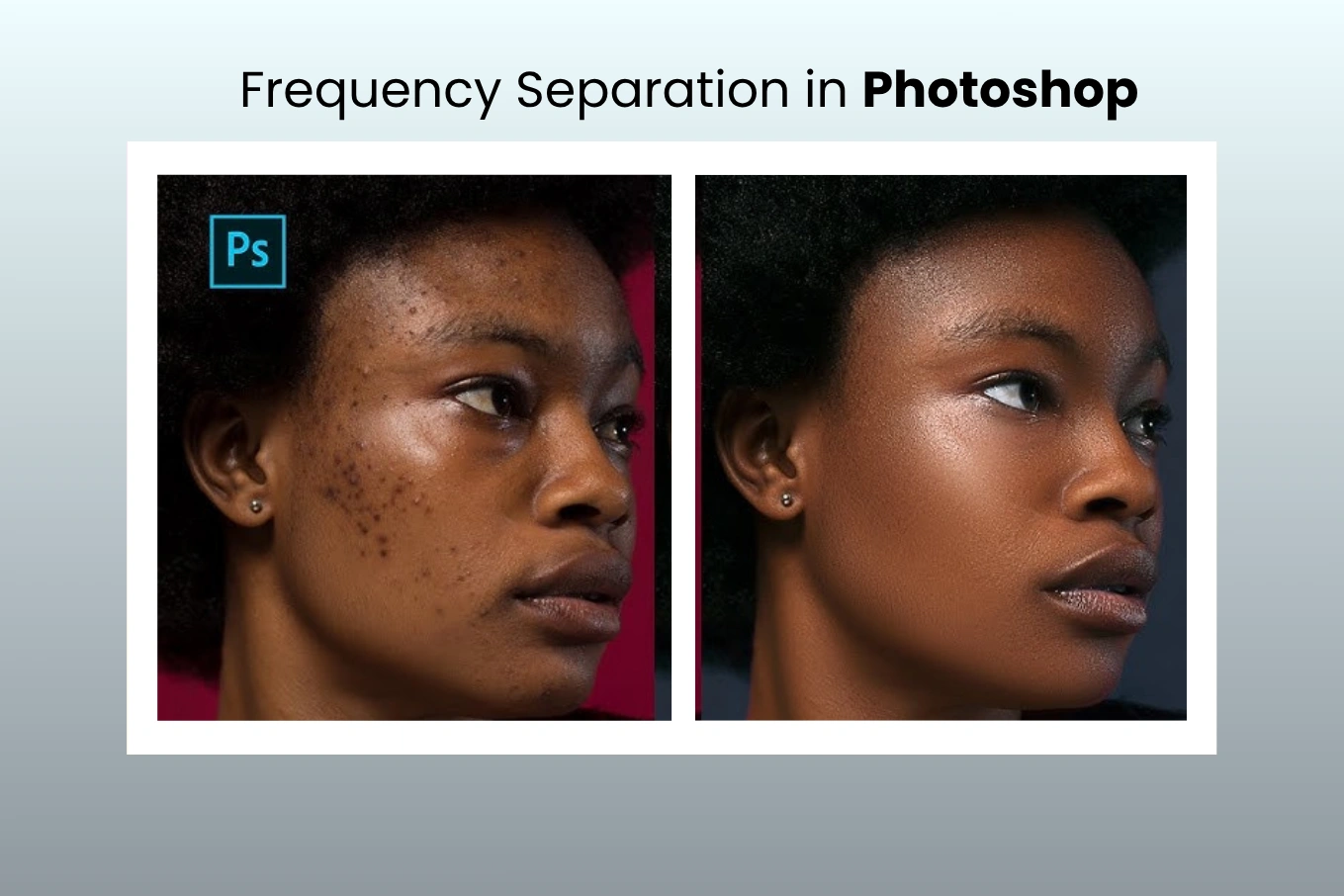
- Frequency Separation: How to Master Retouching in Photoshop – A Complete Guide
- The Ultimate Product Photography Workflow Guide for 2026 (Step-by-Step)
The Real Goal: Faster Publishing With Fewer Surprises
It is tempting to think the goal is perfect images. In practice, the goal is predictable images.
Predictability reduces meetings, reduces revisions, reduces internal friction, and speeds up publishing. Faster publishing is not just convenience. It is revenue timing. Products that go live earlier start learning earlier, and learning is what improves listings and inventory decisions.
A workflow is how you buy that predictability.
Final Thought
After years of production editing, we have a simple belief. Most teams do not need more creative editing. They need fewer surprises.
A strong Photoshop Workflow for eCommerce image editing is not restrictive. It is freeing. It lets you spend your limited attention on the images that truly need care, while the rest of the catalog stays consistent and calm.
And maybe that is the quiet philosophy of good commerce too. When the basics are reliable, people can focus on meaning, not noise.
FAQs
What Is The Best Photoshop Workflow For eCommerce Product Editing In 2026?
The best workflow is the one you can repeat: intake, template setup, non-destructive edits, consistent cutouts, controlled color, defined shadows, QC, and standardized export. Consistency usually beats complexity.
How Do We Keep Product Color Consistent Across A Large Catalog?
Reference-based approach: shoot a colour target, or set a hero reference image per product line and match the set to that. Subjective revisions are minimised with consistent lighting and a documented way of correction
Do We Go With Pure White Backgrounds Or Off-white?
Choose according to channel rules and brand intent. Pure white is often required by marketplaces. Off-white could be nice for softer contrast on brand sites. Document the standard so that editors stop guessing.
What File Format and Color Space Should We Deliver for eCommerce?
Most eCommerce platforms expect sRGB. JPEG is common for product pages; PNG is useful for transparency needs. The right choice depends on your publishing pipeline, so define it per channel and standardize export presets.
How Do We Decide What Retouching Is “Allowed” Without Misrepresenting Products?
Set a cleanup policy: delete transitory shot artefacts such as dust and lint, but leave permanent product attributes unchanged. And when in doubt, err on the side of your brand’s compliance and customer experience expectations.
How Can We Reduce Revisions Without Lowering Quality?
Make “done” measurable: background value, crop rules, shadow style, color reference, and naming. Most revisions come from undefined standards, not from lack of effort.
Is Outsourcing Product Image Editing Worth It Financially?
It can be, especially with fluctuating volume or quick turnarounds. Outsourcing turns fixed workforce expenses into variable expenditures. Best practice is a written methodology and well-defined QC requirements.
Where Is AI Most Useful In Product Image Editing?
The area AI helps the most is with the time-consuming yet repetitive chores such as short selections and minimal clean-up. It can cause pain if it makes rough edges or textures. Use it with manual QC and standards, not autopilot.
What Is The Biggest Bottleneck In A Typical Editing Pipeline?
It is often delivery and communication: unclear naming, missing SKU mapping, inconsistent instructions, and rework loops. Fixing intake, templates, and export specs can speed up publishing more than “editing faster.”
How Many Times Should We QC Images Before Delivery?
At least two passes work well: a fast pass for obvious issues and a detailed pass for edges, dust, and background consistency. QC is usually cheaper than client-facing revisions.
Start With Cutout Partner
If You Want A Photoshop Workflow for eCommerce Product Editing That Stays Consistent Under Real Volume, We Can Help. At Cutout Partner, we are a dedicated post-production team based in Dhaka, Bangladesh. We are committed to precision, fast turnaround, and repeatable standards. If You Share Your Current Specs Or A Few Sample Images We Will Suggest A Clear, Practical Workflow And Deliver Test Edits So You Can Judge The Output Calmly, Without Pressure.
Share this post
Ready to transform your images?
Elevate your brand with stunning, high-impact visuals. We’ll refine your photos to leave a lasting impression!
Get Started Now!